

MVP Data Model Checklist Before Development
Use this MVP data model checklist to define entities, relationships, permissions, states, retention, and migration assumptions before development.
An MVP data model checklist defines what the product needs to remember, how records relate, who owns them, and which rules must remain true as the workflow changes. Start with the core user outcome, model only the entities required to support it, make ownership and status explicit, and document deletion, history, and migration assumptions. The goal is a dependable first-release foundation—not a speculative enterprise schema.
A clear model turns vague features into buildable behavior. It also exposes missing decisions before they become database migrations, broken permissions, or contradictory screens. Use it alongside MVP acceptance criteria so the stored data and the visible product behavior describe the same system.
What is an MVP data model?
An MVP data model is a practical description of the information a first release must store and the rules connecting it. It can be a diagram, a table, or a short specification. It does not need to document every future possibility.
A useful model answers four questions:
- What are the core entities? Users, workspaces, projects, requests, orders, documents, or other durable product concepts.
- How do they relate? Which record owns another, which relationships are optional, and whether one or many records can connect.
- What states can they enter? Draft, submitted, approved, rejected, archived, canceled, or another workflow-specific status.
- Which rules protect them? Required fields, uniqueness, permissions, retention, and valid transitions.
A screen is not automatically an entity. A dashboard may summarize projects, tasks, and events without needing a dashboard table. Likewise, a form field is not automatically permanent data. Store information because the workflow needs it later, not because it appears once in the interface.
The model should support the narrow product test defined during MVP scoping. Future marketplace, reporting, localization, or enterprise-account concepts can stay out until they are part of a validated requirement.
Start with the core workflow, not database tables
Write the product’s critical path as a sequence of actions before naming tables. For example:
- A person creates an account.
- They create a workspace.
- They open a request inside that workspace.
- Another member reviews the request.
- The request is approved or returned for changes.
- Both people can see its current state and relevant history.
Underline the durable nouns and state changes. The nouns suggest candidate entities; the state changes reveal relationships, permissions, timestamps, and history requirements.
Then create a compact model inventory:
| Entity | Why it exists | Owner or boundary | Important relationships |
|---|---|---|---|
| User | Identifies a person who can access the product | Individual identity | Memberships, actions |
| Workspace | Separates one team’s data from another | Account boundary | Members, requests |
| Membership | Connects a user to a workspace and role | Workspace | User, workspace |
| Request | Represents the core item moving through review | Workspace | Creator, reviewer, events |
| Request event | Records meaningful workflow changes | Request | Actor, previous and new state |
If an entity has no role in the critical path, challenge it. If one record is doing several unrelated jobs, split it before its fields and permissions become ambiguous.
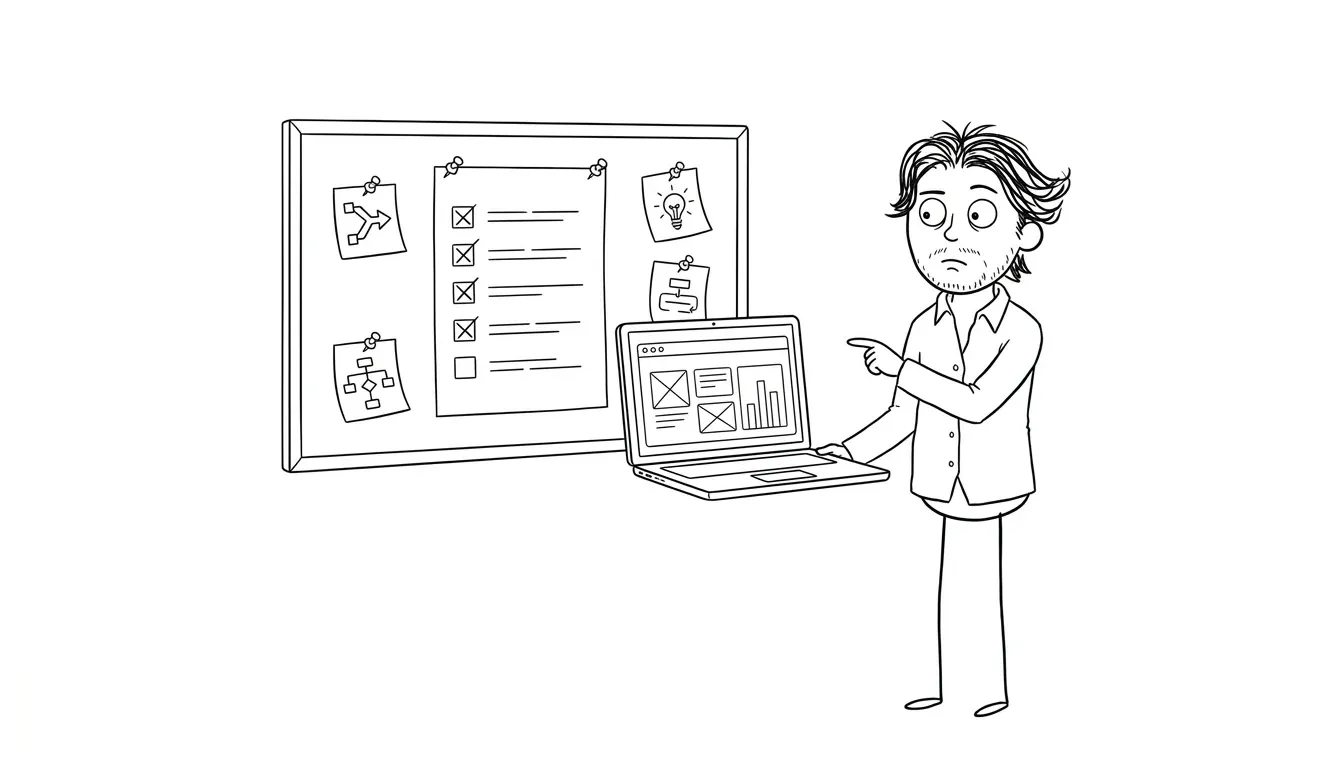
MVP data model checklist: 9 decisions to make
1. Define each core entity in one sentence
Give every entity a plain-language definition. A good definition says what the record represents, not how the interface displays it.
- Workspace: the account boundary that owns collaborative product data.
- Membership: a user’s role and access within one workspace.
- Request: the durable item submitted for review.
- Request event: a recorded change to a request’s workflow state.
Avoid interchangeable names such as project, job, task, and request unless each has a distinct meaning. Naming drift leaks into routes, API fields, analytics, support language, and UI copy. Pick a vocabulary and use it consistently.
Also distinguish a reusable concept from a one-time snapshot. An order may need to retain the purchased item name and price as they existed at checkout rather than reading today’s catalog values. The right choice depends on what the product must prove or display later.
2. Make account ownership explicit
Every business record should have an unambiguous security boundary. In a collaborative product, that is often a workspace or organization rather than the individual who created the record.
For each entity, document:
- Which account or workspace owns it
- Whether it can exist before that owner exists
- Whether ownership can change
- What happens when its creator leaves
- Whether child records inherit the same boundary
- Which queries must always filter by that boundary
Do not infer ownership through a long chain when a direct workspace identifier would make authorization and queries safer. At the same time, avoid duplicating ownership fields without a rule that keeps them consistent.
Ownership is separate from authorship. A request may belong to a workspace, have been created by one user, and currently be assigned to another. Store those concepts separately. Connect this model to the MVP permissions checklist so each role is tested against actual entities and actions.
3. Specify relationships and cardinality
For every connection, decide whether it is one-to-one, one-to-many, or many-to-many. Then decide whether it is required.
Ask:
- Can one user join several workspaces?
- Can a request have several reviewers?
- Can a document belong to more than one project?
- Can a task temporarily have no assignee?
- Should deleting a parent delete, preserve, or detach its children?
Many-to-many relationships usually need an explicit joining entity when the connection has its own data. A workspace membership is more than a link between user and workspace; it may include role, status, invitation source, join date, and removal date.
Avoid arrays of unrelated identifiers when the relationship needs constraints, permissions, or history. An explicit relationship record is easier to validate and query.
4. Separate required, optional, and derived fields
List the minimum fields each entity needs at creation and the fields that can arrive later. A field that is required in the final workflow may still need to be optional while a draft is being created.
Classify fields as:
- Required at creation: needed for a valid initial record
- Required for transition: needed before submission, approval, or another state change
- Optional: meaningful but not necessary for the core workflow
- Derived: calculated from other stored information
- Snapshot: intentionally copied to preserve historical context
- System-managed: identifiers, timestamps, versions, or audit metadata
Do not store a derived total without deciding how and when it is recomputed. Do not calculate historical values from mutable current data when the past value matters. Make normalization a deliberate tradeoff rather than a reflex.
Define formats and constraints for identifiers, dates, money, time zones, units, and enumerated values. For money, store an amount in the smallest relevant unit plus a currency code rather than relying on floating-point display values. For time, store a precise timestamp and preserve a user’s or workspace’s time zone when calendar interpretation matters.
Enforce stable rules in the database where practical. The PostgreSQL constraints documentation explains primary keys, foreign keys, uniqueness, and checks that can stop invalid records even when more than one application path writes data.
5. Model status transitions as rules
A status field is useful only when the product defines what each value means and how it can change. Write a state table:
| Current state | Allowed action | Next state | Who can act | Required data |
|---|---|---|---|---|
| Draft | Submit | Submitted | Creator | Title and requested details |
| Submitted | Approve | Approved | Reviewer | Review decision |
| Submitted | Request changes | Changes requested | Reviewer | Review note |
| Changes requested | Resubmit | Submitted | Creator | Updated details |
| Approved | Archive | Archived | Workspace admin | None |
Reject impossible transitions at the application boundary. Do not let UI buttons become the only enforcement. Background jobs, API calls, imports, and future interfaces should follow the same rules.
Record the actor and timestamp for important transitions. If the business needs to explain how a record reached its current state, a current status value alone is insufficient.
Authorization should also be checked for every object access, not inferred from whether a user can reach a screen. The OWASP authorization guidance recommends validating permissions on every request and treating access as denied unless it is explicitly allowed.
6. Decide how history and edits work
Not every field needs a complete audit trail. Identify changes that affect access, money, approval, fulfillment, or the user’s ability to understand an outcome.
Choose one of these approaches per requirement:
- Store only the current value
- Store current value plus changed-at and changed-by metadata
- Append meaningful domain events
- Keep immutable versions or snapshots
A domain event such as request_approved is more useful than a raw record diff when the product needs to trigger a notification or explain an action. A full version may be appropriate when users need to compare document revisions. Avoid building a universal event-sourcing system unless the MVP genuinely requires it.
For editable content, define concurrent-edit behavior. The first release may use optimistic locking with a version number and ask the second editor to reload rather than silently overwriting newer work.
7. Define deletion, archival, and retention
“Delete” can mean several different things. Decide which behavior applies to each entity:
- Hard delete: remove the record and eligible dependent data
- Soft delete: hide it while retaining a deletion marker
- Archive: preserve it as a valid historical record outside active workflows
- Anonymize: remove personal identifiers while retaining non-identifying operational data
- Detach: preserve a child record without its previous relationship
Document what users see after deletion, which links stop working, how exports behave, and whether restoration is supported. Avoid adding soft-delete columns everywhere without defining how every query, unique constraint, and relationship treats deleted rows.
Retention depends on product, contractual, and legal requirements. This checklist cannot determine those obligations. The MVP spec should name an owner for that decision and avoid retaining sensitive data merely because storage is convenient.
8. Plan imports, exports, and external identifiers
Even a small product may receive data from a payment provider, CRM, form, spreadsheet, or automation. Keep internal identifiers separate from provider identifiers. Record the provider and external object type when collisions are possible.
For each integration, define:
- Stable external identifier
- Account or tenant context
- Source of truth for mutable fields
- Idempotency behavior for repeated events
- Handling for missing or deleted external records
- Last successful synchronization or event time
- Raw payload retention limits
Imports need validation and a failure report. Do not partially import rows without telling the operator which records failed. Exports should use documented field names and avoid exposing fields the requesting role cannot see in the product.
For retried external operations, use a stable request or event key and return the original result when the same operation repeats. Stripe’s idempotency documentation shows this pattern in a public API and explains why request parameters should remain consistent across retries.
9. Write migration assumptions down
The first model will change. Prepare for change without designing every future feature.
Prefer stable identifiers, explicit constraints, and migrations that can be deployed safely. Document assumptions likely to change, such as:
- A user initially belongs to one workspace, but multiple memberships may follow
- A request has one reviewer in the MVP
- Prices use one currency at launch
- Content uses one language
- Files use one storage provider
- Status values are controlled by the product, not workspace administrators
Label these as current scope, not universal truths. When an assumption changes, update the model, migration, acceptance criteria, and affected permissions together.
Avoid encoding changeable product meaning in identifiers. A record ID should not need to change because a user renames a workspace or moves an item between categories.
How should you validate an MVP data model?
Walk through real workflow scenarios against the model before development. Use representative edge cases without inventing fake performance claims or elaborate personas.
Test at least these scenarios:
- A new user creates the first account-owned record.
- A second user joins with limited access.
- The core item moves through every allowed state.
- A required field is missing at a state transition.
- The assigned person leaves the workspace.
- Two people edit the same record.
- A repeated webhook or form submission arrives.
- A parent record is archived or deleted.
- A user requests an export of accessible data.
- An external identifier changes or disappears.
- A schema migration runs while existing records lack the new field.
- Support needs to explain who changed an important state.
For each scenario, identify the records read or written, the permission check, the constraint that prevents invalid data, and the visible result. If the answer depends on an unwritten convention, add it to the specification.
Create sample rows only to test structure. Keep them generic and clearly fictional; do not turn them into invented customer stories or proof.
What should stay out of the first data model?
Defer structures that support hypothetical scale rather than the current product test:
- Configurable custom fields without a validated need
- Universal tagging across every entity
- Multiple account hierarchies
- A generic workflow builder
- Data warehouse replicas and speculative reporting dimensions
- Plugin metadata for integrations that do not exist
- Localization tables for unsupported languages
- Complex role-policy engines when a few explicit roles work
- Premature sharding or multi-region architecture
Deferral is not neglect. Record the boundary and the trigger that would justify revisiting it. For example, “Add multiple reviewers when the workflow requires parallel approval” is more actionable than a dormant generalized approval engine.
The MVP tech stack guide can help match implementation choices to the product’s actual constraints. A conventional relational database is often a useful default for relationship-heavy business workflows, but the product requirements—not fashion—should drive the decision.
Turn the checklist into a build-ready specification
Produce one short artifact with six sections:
- Critical workflow: the actions and outcomes the MVP must support
- Entity inventory: definition, owner, purpose, and lifecycle for each record type
- Relationship diagram: cardinality, optionality, and deletion behavior
- Field dictionary: type, requirement, constraint, source, and sensitivity
- State rules: allowed transitions, actors, required data, and history
- Acceptance scenarios: valid flows, permission failures, repeats, deletion, and migration cases
Review this artifact with the screens and API contracts. A field shown in the UI but absent from the model is a gap. A stored field with no product purpose is a scope warning. A state-changing action without an authorized actor or acceptance test is unfinished behavior.
If the data model, permissions, or workflow boundary is unclear, a $500 Audit + Spec can examine that one focused lens and turn it into a practical implementation specification. The fee is credited 100% toward follow-on work booked within 30 days.
When the core workflow needs to move from definition to a working first release, Dee Agency’s $9,000 Idea to MVP service covers the focused design-and-build path. Review the service overview, then share the product concept and its core data relationship to define the next step.

Got a project worth shipping? Send the brief.
Quote and kickoff date back in a day, usually faster. If it's not a good fit I'll say so.