

Best Landing Page Tools in 2026
Webflow, Framer, Astro, or Carrd? A practical breakdown of the best landing page tools in 2026 for founders, with honest trade-offs for each.
The best tools for building a landing page in 2026 depend on what you’re optimizing for: speed, custom design, or code-level control. For most founders, Webflow handles design-forward pages well, Framer works great for fast interactive builds, and custom code (Next.js or Astro) is the right call when you need precise control or deep integration. No-code tools like Carrd and Squarespace work for early validation. The wrong tool choice costs you time and conversions, so picking deliberately matters.
Why your tool choice actually matters
A landing page isn’t a brochure. It’s doing a job: converting visitors into leads, signups, or buyers. The tool you build it in affects load speed, how quickly you can iterate, who can edit it, and how well it integrates with your stack.
Pick the wrong tool and you end up with a slow page you can’t edit without a developer, or a fast-to-build page that looks like every other template on the internet. Neither is great.
The good news: there are clear patterns for which tool fits which situation. Here’s how I think about it.
The main categories of landing page tools in 2026
Before getting into specific tools, it helps to understand the three categories they fall into.
No-code builders let you drag and drop without touching code. Great for speed and non-technical founders. The trade-off is limited flexibility and templated aesthetics.
Visual dev tools like Webflow and Framer sit in the middle. They look and feel like design tools but output real, reasonably clean HTML and CSS. You get more control without writing everything from scratch.
Code-based approaches mean building with a framework like Next.js or Astro. Full control, best performance, but you need a developer or you need to code yourself.
Most founders start in the wrong category for their situation. Either they go straight to code when a no-code tool would do fine, or they commit to a no-code builder when their requirements clearly need more flexibility.
Choosing the right tool category matters more than choosing between tools within a category.
Best no-code landing page tools in 2026
Carrd
Carrd is the best option for fast, minimal, single-section pages. It’s inexpensive, genuinely simple, and handles basic forms and integrations. If you’re validating an idea and need something live today, Carrd is hard to beat.
The limitation is obvious: you can’t build anything complex. One-page sites, simple layouts, basic CTAs. That’s the whole product.
Squarespace
Squarespace is better now than it was five years ago. The templates look decent out of the box, and the editor is intuitive enough that non-designers can ship something that doesn’t embarrass them.
It’s a reasonable choice for small businesses that need a landing page plus a few supporting pages and don’t want to manage anything technical. The conversion-focused tooling is basic, though. If you need serious A/B testing or deep analytics, you’ll hit walls quickly.
Unbounce and Instapage
These are purpose-built for conversion and marketing campaigns. They have native A/B testing, AI-assisted copy tools, and integrations with ad platforms. If you’re running paid traffic and need to spin up multiple variants fast, these make sense.
They’re expensive for what they are if you’re only running one page. Pricing starts around $99/month for Unbounce’s basic plan. Worth it for performance marketers, overkill for most early-stage founders.
Best visual dev tools for building a landing page
Webflow
Webflow is still the most capable no-code-to-real-code tool available. You design visually, and it outputs clean HTML, CSS, and JavaScript. You can build complex animations, responsive layouts, and multi-page sites without writing code.
It’s also genuinely learnable. A design-comfortable founder can get productive in Webflow within a few days. An experienced Webflow developer can move faster than a traditional frontend developer on layout-heavy work.
The downsides: the learning curve is real, the pricing has crept up (hosting costs stack up over time), and the editor Webflow gives clients for content updates is still clunky compared to something like Sanity or Contentful.
For custom, design-forward landing pages where the founder wants to stay in control of content, Webflow is still my first recommendation in the visual dev category.
Framer
Framer has gotten very good, very fast. It started as a prototyping tool and has evolved into a legitimate publishing platform. The AI-assisted design features are genuinely useful for getting a first draft up quickly, and the output quality is high.
Where Framer shines is interactive, animation-heavy pages. If you want something that moves and feels alive without writing animation code, Framer handles that better than Webflow does.
The CMS is more limited than Webflow’s for complex data structures, and the ecosystem of developers and resources is smaller. But for a single polished landing page, Framer is fast and the results look excellent.
Best tools for building a landing page with code
Next.js

Next.js is the standard for React-based web projects, and it works well for landing pages that need to integrate with a larger app, pull in dynamic data, or require specific performance optimizations.
The trade-off is setup time. You’re configuring a project, managing dependencies, and deploying to a platform like Vercel. None of that is complicated if you’re a developer, but it’s not for non-technical founders.
Next.js makes sense when: your landing page is part of a larger product, you need custom authentication or API routes near the page, or you want full control over performance and rendering behavior.
Astro
Astro is worth a serious look for marketing pages. It defaults to zero JavaScript, which means fast load times out of the box. You can bring in React, Vue, or Svelte components where you need interactivity, and the rest of the page ships as static HTML.
For a landing page that’s mostly content and CTAs with a few interactive elements, Astro produces leaner output than Next.js with less configuration work.
I use Astro for static marketing pages regularly. It’s genuinely well-suited for the job.
Plain HTML/CSS
Underrated. For a landing page that doesn’t need a CMS, dynamic data, or component reuse, a single HTML file with clean CSS and a bit of JavaScript can outperform everything else on page speed benchmarks.
The obvious limitation is maintainability at scale. If you’re building one tight page and you know HTML, this is a legitimate choice.
How to choose between these tools
Here’s a straightforward framework:
| Situation | Tool to use |
|---|---|
| Validating an idea quickly | Carrd |
| Small business, no developer | Squarespace |
| Running paid traffic, need A/B tests | Unbounce |
| Custom design, want to stay in control | Webflow |
| Animated, interactive, modern feel | Framer |
| Part of a larger React app | Next.js |
| Fast static page, developer available | Astro |
| One tight page, you know HTML | Plain HTML/CSS |
The biggest mistake I see is founders using a tool that’s more complex than their situation requires. Carrd or Webflow handles 90% of landing page use cases. Next.js is overkill if you’re just launching a product page.
The second biggest mistake is optimizing for builder convenience instead of visitor experience. A tool that makes it easy to add animations and parallax effects isn’t automatically better if those effects slow down your page.
Build in the simplest tool that handles your actual requirements. Upgrade when you hit real limits, not imaginary ones.
What your tool choice can’t fix
Here’s the honest part: the tool is rarely what separates a converting page from one that doesn’t. Copy, offer clarity, and page structure matter more than whether you built in Framer or Webflow.
A well-structured page with clear copy will outperform a beautiful page with weak messaging every time. I covered the specifics of that in what makes a landing page convert.
Tools don’t write your headline. They don’t figure out what your visitor actually cares about. They don’t decide where to put the CTA or what social proof to include. Those decisions are the work, and they require thinking about your audience, not picking a builder.
If you’re unsure what’s actually preventing your page from converting, that’s often a more useful question than which tool to use. A focused landing page audit can surface the answer faster than switching tools.
Thinking about a landing page rebuild? I offer a flat-fee landing page design and build service that covers strategy, design, and shipping. Tell me what you’re working on.
What about AI-powered landing page builders?
Several tools now let you describe your product and generate a landing page in seconds. Framer’s AI, Webflow’s AI tools, and dedicated products like Durable or 10Web fall into this category.
For a rough draft or a starting point, these are genuinely useful. They’re not good enough to ship to paying customers without significant editing. The copy is generic, the layouts are predictable, and they don’t know anything specific about your product, your users, or your competitive positioning.
Use them to get unstuck or get a visual reference point. Don’t ship the output directly.
The more interesting AI applications for landing pages are things like personalization at scale, copy variant testing, and real-time optimization based on traffic source. Those require more setup but they’re worth looking into if you’re running volume.
Performance considerations that tool marketers don’t emphasize
Page speed affects conversions. Google’s own research shows that as page load time increases, the probability of a visitor bouncing increases sharply.
Here’s how these tools generally compare on performance:
- Plain HTML/CSS: Best possible baseline
- Astro: Excellent by default, very close to plain HTML
- Next.js with static export: Very good with proper configuration
- Webflow: Good, slightly heavier than hand-coded equivalents
- Framer: Good, some JavaScript overhead for animations
- Squarespace: Acceptable, can get heavy with themes and plugins
- Unbounce/Instapage: Variable, depends on what you add to the page
- Carrd: Good for what it is
If you’re spending money on paid traffic, page speed is worth caring about. A half-second delay at the top of your funnel compounds fast.
Vendor lock-in and long-term ownership
This doesn’t come up enough in tool comparisons, but it matters.
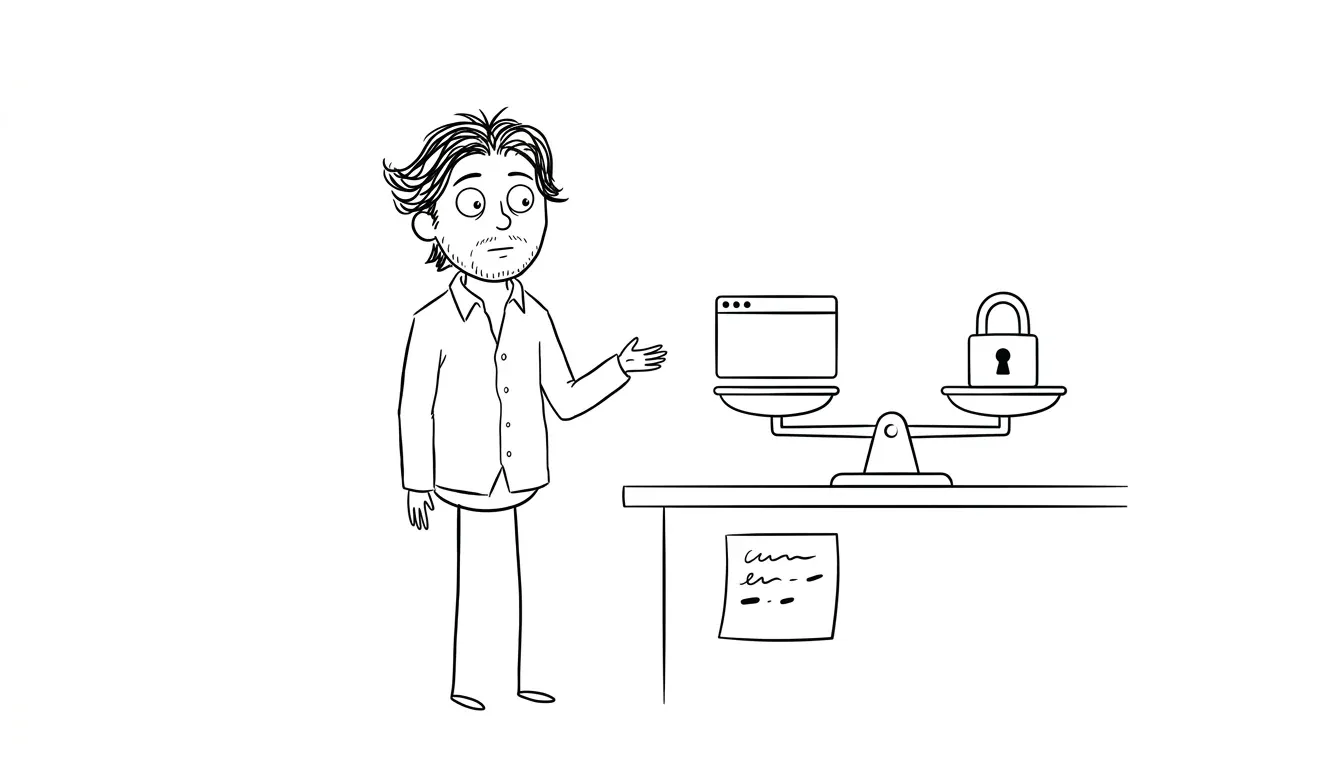
When you build in Webflow or Framer, your content and structure live inside that platform. If pricing changes, if the company pivots, or if you outgrow the tool, migration is real work. Webflow does let you export static HTML and CSS, but that export isn’t a clean handoff you can drop into another system and keep editing visually. Framer’s export situation is more limited.
Code-based tools don’t have this problem. An Astro or Next.js project lives in a Git repository you own. You can deploy it anywhere, hand it to any developer, and switch hosting providers without touching the codebase.
For a one-off validation page, lock-in isn’t a real concern. For a page that’s going to be your primary marketing surface for years, it’s worth thinking about before you commit.
The practical rule: if you’re building something that might need to scale into a full marketing site, integrate with a custom backend, or be handed off to a dev team later, start with code. If you’re launching fast and will revisit in six months, pick the tool that gets you live fastest.
How does your choice affect developer handoff?
If you’re working with a designer or developer now, or plan to at some point, tool choice affects how clean that handoff is.
Webflow has a good ecosystem of developers who know the platform. Handing a Webflow project to a Webflow-literate developer is straightforward. Handing it to a traditional frontend developer who doesn’t know Webflow is more friction than handing them a Next.js or Astro project.
Framer is similar. The pool of experienced Framer developers is smaller than Webflow’s, and the platform moves fast enough that knowledge has a shorter shelf life.
Code-based projects in Next.js or Astro are the most portable. Any competent React or frontend developer can pick them up. If you’re planning to hire a developer at some point, building in a standard framework from the start avoids a migration project later.
For founders who want to understand more about what working with a developer or designer actually looks like end-to-end, how to work with a freelance designer covers the practical side of that collaboration.
My actual recommendation for most founders in 2026
If you’re a non-technical founder launching a product: start with Framer or Webflow. Both have free plans, both have enough design quality to look credible, and both give you control over your content without needing a developer on call.
If you’re working with a developer or designer: build in Astro or Next.js. You get better performance, real code ownership, and no vendor lock-in.
If you need to validate something this week: Carrd.
And if you want a custom landing page that’s designed and built to convert, where someone else handles the decisions about structure, copy framework, and visual design, that’s exactly what my landing page service covers. It’s a flat fee, ships fast, and I handle everything from strategy to deployment.
For context on how that compares to other options, the comparison of landing page designers vs agencies is worth reading before you decide how to proceed.
Frequently asked questions
What’s the best free tool for building a landing page in 2026?
Framer and Webflow both have free tiers that let you publish a landing page without paying. Carrd’s free plan is more limited but works for very basic pages. For most founders, Framer’s free tier is the best starting point because the output quality is high and the editor is fast.
Is Webflow still worth learning in 2026?
Yes, if you’re building design-forward pages and want to stay in control of the site without writing code. Webflow’s learning curve is real but the payoff is meaningful. If you just need one page live quickly, Framer is faster to get productive in.
Can I build a landing page without a developer?
Yes. Carrd, Squarespace, Webflow, and Framer all work without writing code. Framer and Webflow have steeper learning curves but produce better results. For anything that needs custom integrations or is part of a larger app, you’ll want a developer involved.
How much does it cost to build a landing page?
The tool costs range from free to a few hundred dollars per year. The real cost is time or hiring. A freelance designer or developer will charge anywhere from a few hundred to several thousand dollars depending on scope. My flat-fee landing page service starts at $3,000 and includes strategy, design, and build.
What landing page tool is best for paid traffic campaigns?
Unbounce and Instapage are purpose-built for this use case. They have native A/B testing and ad platform integrations that general-purpose builders don’t. If you’re running significant paid traffic and need to test multiple variants, they’re worth the subscription cost.
Does the landing page tool affect SEO?
Yes, indirectly. Page speed, clean HTML output, and proper meta tag support all matter for SEO. Astro and plain HTML give you the most control. Webflow and Framer output reasonably clean markup. Page builders like Squarespace and Unbounce are adequate for basic SEO but give you less control over technical details.
Ready to ship a landing page that actually converts?
If you’d rather have someone experienced handle the design and build, I offer a flat-fee landing page service that covers everything from page structure to deployment. No lengthy agency process, no hourly billing. Just a page that’s done and ready to convert.
Tell me about your project and I’ll let you know if it’s a fit.

Got a project worth shipping? Send the brief.
Quote and kickoff date back in a day, usually faster. If it's not a good fit I'll say so.