
What Makes a Landing Page Convert?
A practical breakdown of what makes a landing page convert: headline clarity, social proof, page structure, mobile design, and when to rebuild vs. optimize.
A landing page converts when it does one thing well: match what the visitor expected to find, then make the next step obvious. The best-converting pages have a clear headline, one focused offer, real proof it works, and a call to action that doesn’t make you think. Most pages that fail do so because they try to say too much, target everyone, or bury the action they actually want visitors to take. Here’s a practical breakdown of what makes a landing page convert, so you can fix yours before you spend another dollar on traffic.
What makes a landing page convert in the first place?
Conversion isn’t a design trick. It’s alignment.
When someone clicks an ad or a link and lands on your page, they’ve already formed an expectation. Your headline either confirms that expectation or breaks it. If it breaks it, they’re gone in three seconds, and no amount of animation or social proof below the fold will save you.
The pages that convert well do a few things consistently:
- They match the message in the ad or link to the first thing visible on the page
- They make it immediately clear what the product does and who it’s for
- They remove reasons to hesitate
- They make the action dead simple
That’s it. Everything else, visual design, copy length, button color, is in service of those four things.
The above-the-fold problem most founders miss
Your hero section is doing the hardest work on the page. It has to answer three questions before the visitor decides whether to scroll:
- What is this?
- Is it for me?
- Why should I care?
Most founders write a clever tagline that answers none of those. “The future of team collaboration” tells me nothing. “A project management tool for freelance designers who bill hourly” tells me everything.
Be specific enough that the wrong visitor self-selects out. If your headline speaks to everyone, it resonates with no one.
Your subheadline should expand on the headline with a concrete benefit or mechanism. “Automated time tracking that logs client hours in the background while you work” is more useful than “Save time. Make more money.”
The hero CTA should be one action. One button. The label matters too. “Start free trial” outperforms “Get started” because it tells me what’s happening. “Book a 15-minute demo” outperforms “Contact us” because it sets an expectation.
How landing page structure affects conversion rates
Structure is strategy. The order of information on your page determines whether someone builds enough confidence to click.
A structure that works for most offer types:
- Hero: clear headline, subheadline, primary CTA
- Social proof bar: logos, a stat, or a short quote
- Problem/benefit section: what’s broken, how you fix it
- Feature details: specifics that reduce uncertainty
- More social proof: testimonials with names and context
- FAQ: preempt the objections you hear on sales calls
- Final CTA: repeat the action with a bit more urgency or framing
This isn’t the only order that works. But it follows the logic of how trust gets built. You earn attention in the hero, establish credibility fast with proof, then go deeper on the offer once the visitor has decided to care.
Don’t bury the CTA. Repeat it at least twice: once in the hero, once at the bottom. If the page is long, add it mid-page too.
What about pages with multiple offers?
This is where a lot of B2B and SaaS landing pages go wrong. If you have a free trial and a demo and a pricing page and a video, you’re asking the visitor to make four decisions instead of one. Every additional option reduces the chance they take any of them.
Pick the one action that moves the most valuable visitor forward. Everything else is a distraction. If you truly need multiple paths, use a secondary CTA with lower visual weight below the primary one. Don’t present them as equals.
What makes a landing page convert: the copy fundamentals
Design gets blamed when conversion is low, but copy is usually the real problem.
Write for one person
Pick a specific customer and write to them. Not a segment, an actual person. Their job, their frustration, the specific thing they Googled before they found you. The more specific your copy feels, the more it resonates.
Lead with the outcome, not the feature
Founders tend to describe what the product does. Customers care about what they’ll have after using it.
“AI-powered document parsing” is a feature. “Cut invoice processing time by 80%” is an outcome. The outcome version earns the click.
Keep sentences short
Long sentences make people work. When copy is dense, people skim it, then leave. Short sentences move faster. They’re easier to scan. They keep momentum.
Don’t make your visitor do math
If you offer a free trial, say how long it is. If there’s a money-back guarantee, say how many days. If pricing has tiers, show the difference clearly. Vague copy creates friction.
Use the language your customers actually use
One of the fastest ways to improve copy is to stop writing it from scratch. Read your reviews, your support tickets, your customer emails. The words people use to describe their problem are often better than anything a copywriter would invent. When your copy sounds like the visitor’s internal monologue, it converts.
Social proof is load-bearing, not decorative
The difference between a page that converts at 2% and one that converts at 6% is often just proof.
Testimonials work best when they’re specific. “Great product, highly recommend” is noise. “I replaced two part-time contractors with this tool in the first month” is signal. If you can get customers to describe the before and after, use that exact language.
A few formats that work:
- Short quotes with a name, job title, and company (or photo if you have it)
- Case study snippets: “X used [product] to [outcome] in [timeframe]”
- Usage numbers if they’re real and meaningful
- Brand logos if your customers are recognizable
If you’re early and don’t have testimonials yet, get them. Offer your first users the product free in exchange for honest feedback you can quote. A handful of specific quotes will do more for your conversion rate than any design tweak.
If you’re pre-launch and have no proof at all, lead with the founder’s credibility and explain exactly what early users will get. Transparency converts better than fake authority.
Where to place social proof on the page
Placement matters as much as content. A logo bar immediately after the hero gives a credibility signal before the visitor has invested any time in reading. Testimonials work best near friction points: right before a pricing section, right before the final CTA, or adjacent to a form. Think about where doubt peaks, and put proof there.
How fast your page loads affects whether it converts
A slow page kills conversions before the visitor even reads a word. Google’s research on page speed and user behavior consistently shows that load time affects bounce rate in a direct, measurable way.
For landing pages specifically:
- Aim for under two seconds on mobile
- Compress images. Use WebP format where supported
- Minimize third-party scripts, especially anything that fires on load
- Use a fast host. Shared hosting that made sense for a WordPress blog will hurt a paid traffic landing page
You can test your page speed with Google PageSpeed Insights. The report tells you exactly what’s slowing things down and prioritizes fixes by impact.
This isn’t a nice-to-have. It’s table stakes for any page you’re sending traffic to.
Mobile matters more than desktop for most landing pages
If you’re running social ads, the majority of your clicks are landing on phones. If your page isn’t designed for a small screen first, you’re losing conversions before they start.
Mobile-first doesn’t mean making a desktop page responsive. It means designing for the thumb: large tap targets, short scroll distances to the first CTA, text that’s readable at default sizes without pinching, and a form or button that doesn’t get hidden behind a keyboard.
Test your page on an actual phone, not just a browser resizing window. The experience is different.
A few mobile-specific things worth checking:
- Is your headline font size large enough to read without zooming? Aim for at least 28px on mobile.
- Does your CTA button span the full width or close to it? Narrow buttons are hard to tap accurately.
- If you have a video in the hero, does it autoplay muted, or does it block the page load?
- Do any popups or overlays cover the primary content before the visitor has had a chance to read anything?
These details are easy to miss when you’re previewing on desktop. Getting them right on mobile is often where meaningful conversion gains come from.
What conversion rate should you expect from your landing page?
There’s no universal benchmark that applies across all industries and offer types. WordStream’s research on landing page conversion rates suggests the median landing page converts at around 2-5%, with top-performing pages reaching 10-12% or more.
What moves you toward the higher end:
- High message-match between your ads and the page
- Strong, specific social proof
- A low-friction offer (free trial, demo, lead magnet)
- A page built for the right audience, not a general audience
Don’t chase a number. Understand your current rate, identify the biggest drop-off point, fix that, and measure again. Conversion optimization is an iterative process, not a one-time redesign.
The most common reasons landing pages don’t convert
If you’re looking at a page that isn’t working, the problem is usually one of these:
- The headline is vague or clever instead of clear
- The CTA is buried or asks for too much commitment too early
- There’s no proof the product works or exists
- The page targets too broad an audience
- The form asks for too much information
- The page loads slowly on mobile
- The ad or email that drove traffic promised something the page doesn’t deliver
You don’t need to fix all of these at once. Pick the most likely culprit and test one change. If you’re not sure which it is, read your page out loud. The awkward parts are usually where the problem is.
If you want a trained eye on it, I offer a UX audit that covers exactly this kind of friction. I go through your page, find what’s slowing it down, and prioritize the fixes by impact.
How to prioritize what to fix first
If you have a page that’s not converting and you don’t know where to start, work from the top down.
The hero section gets the most eyeballs. Fix it first. If the headline isn’t clear and specific, nothing below it matters. Once the hero is solid, look at what happens right after it. Is there a proof signal or does it immediately jump into features? Add a quick credibility moment there.
After that, look at your form or primary CTA button. How many fields does the form have? Every additional field reduces completion rate. Ask for the minimum you actually need. First name and email is almost always enough to start a conversation.
A useful tool for this kind of analysis is a session recording tool like Microsoft Clarity, which is free. It shows you heatmaps of where people click and recordings of actual sessions. You can see exactly where visitors stop scrolling, what they click that isn’t a link, and where they abandon. That data tells you more than gut instinct.
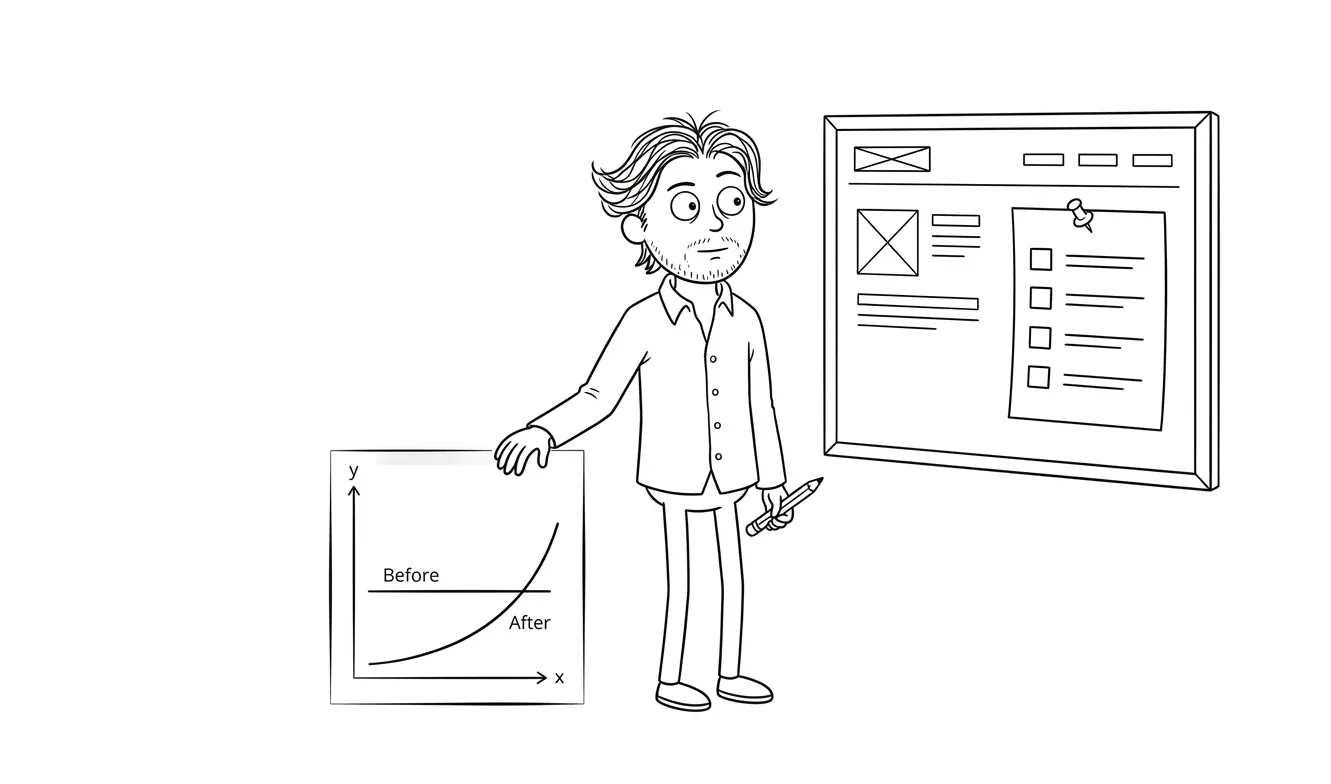
Once you’ve watched a few sessions, the problem usually becomes obvious. Then it’s a matter of fixing one thing, waiting for enough traffic to measure, and comparing the before and after.
When to rebuild vs.when to optimize
Small tweaks can move the needle on a structurally sound page. But if the fundamentals are broken, no headline test or button color change will save you.
Signs you need to rebuild:
- The value proposition isn’t clear to someone who’s never heard of you
- The page was built for a different audience than you’re targeting now
- You’ve been sending traffic to it for months and conversion is under 1%
- The page was built from a generic template that doesn’t reflect your actual offer
Signs you need to optimize:
- The page is structurally sound but conversion is below your goal
- You have a clear hypothesis about what’s causing drop-off
- You have enough traffic to run meaningful tests
If you’re at the rebuild stage, take a look at how I approach landing page design and builds. I work flat-fee, async, and fast, so you’re not waiting weeks to get a new page in front of traffic.
You can also look at the cost breakdown in my article on custom landing page pricing if you’re trying to figure out what level of investment makes sense for your situation.
Not sure what’s wrong with your page? I offer a flat-fee UX audit that gives you a prioritized list of friction points and fixes. Tell me about your project.
Frequently asked questions
What makes a landing page convert?
A landing page converts when the headline clearly states what the product is and who it’s for, the offer matches what the visitor expected to find, and the call to action is easy to take. Proof that the product works, fast load times, and a mobile-friendly layout are the other factors that separate high-converting pages from low ones.
What is a good conversion rate for a landing page?
Median landing page conversion rates are roughly 2-5%, according to WordStream’s research on the topic. Top-performing pages with strong targeting and message-match can reach 10% or higher. The most useful benchmark is your own baseline, tracked over time as you make specific improvements.
How do I improve my landing page conversion rate?
Start by identifying where visitors drop off. If most people leave without scrolling, fix the hero section first. If they scroll but don’t click, the CTA or proof is the problem. Test one change at a time so you know what actually moved the number.
How long should a landing page be?
Long enough to answer every question that would stop a qualified visitor from converting, and no longer. Short pages work for low-commitment offers like a free trial or newsletter signup. Longer pages work for higher-priced or higher-complexity offers where visitors need more information before they trust you.
Do I need a separate landing page for each ad?
Ideally, yes. Message-match between the ad and the page is one of the highest-leverage levers you have. If your ad mentions a specific benefit or audience, the landing page headline should reflect that. Using one generic page for all traffic is a reliable way to underperform.
When should I hire someone to build my landing page?
When the page is the bottleneck to growth and you don’t have the time or skill to fix it yourself. If you’re paying for traffic and converting below 2%, the cost of a professional page pays for itself quickly. My flat-fee landing page service is built for exactly that situation. Start the conversation here.
Ready to build a page that actually converts?
If your current page isn’t doing its job, I can help you figure out why and fix it. I offer a UX audit if you want a prioritized diagnosis, or a full landing page design and build if you’re ready to start fresh.
Tell me about your project and we’ll go from there.

Got a project worth shipping? Send the brief.
Quote and kickoff date back in a day, usually faster. If it's not a good fit I'll say so.