

AI Search Visibility Audit: DIY Checklist
Run your own AI search visibility audit before spending a dollar. Covers crawler access, entity clarity, schema, llms.txt, and content structure.
An AI search visibility audit checks whether AI answer engines like ChatGPT, Perplexity, and Gemini can find, understand, and cite your product. Before spending $3,000+ on a full fix, run the diagnostic yourself. Check if your entity is clear, your pages are crawlable by AI bots, your content answers real questions directly, and your schema is in place. This guide walks founders through each step. If you find real problems, that’s when outside help pays off.
Why AI search visibility matters before you spend anything
AI answer engines are now a real acquisition channel. When someone asks Perplexity “what’s the best tool for X” or asks ChatGPT for a product recommendation, the answers come from indexed, crawlable, legible web content. If your site isn’t structured for that, you won’t show up, and no amount of ad spend changes that.
The good news: a basic AI search visibility audit doesn’t require a consultant. You can do a meaningful diagnostic pass yourself in a few hours. What you’re looking for is whether your product is legible to AI systems, not just to Google’s traditional crawler.
This guide covers exactly that. Treat it as a practical founder’s checklist. Run it before you commit budget to any AI visibility work.
What an AI search visibility audit actually checks
Traditional SEO audits look at backlinks, page speed, keyword rankings. An AI search visibility audit is different. It’s checking whether your content is structured for retrieval and synthesis by language models and answer engines.
The core questions are:
- Can AI crawlers actually access your pages?
- Does your site clearly explain what you do, who you help, and why you’re credible?
- Is your content structured to answer real questions directly?
- Do you have schema markup, metadata, and entity signals in place?
- Do you have an llms.txt file?
These are distinct from classic SEO signals. A site can rank well in Google and still be nearly invisible to AI answer engines, because the retrieval mechanisms are different.
An AI visibility audit is a diagnostic, not a ranking guarantee. It tells you where the gaps are. Fixing those gaps improves your chances of being cited, but no one can promise specific citations or rankings.
Step 1: Check if AI crawlers can reach your site
This is the most basic check and the one most founders skip.
Open your robots.txt file. It lives at yourdomain.com/robots.txt. Look for any directives that block AI-related bots. The bots you want to allow for visibility and retrieval purposes include:
OAI-SearchBot(OpenAI’s retrieval crawler, used for ChatGPT’s web search)PerplexityBot(Perplexity’s crawler)Bingbot(Bing powers several AI search surfaces including Copilot)Googlebot(Google’s main crawler, feeds Gemini’s grounding)
A blanket Disallow: / under User-agent: * will block everything. That’s an obvious problem.
More subtle: some setups block GPTBot and Google-Extended thinking it hurts AI crawling, but those bots are primarily for model training, not retrieval. Blocking them is a brand choice. The retrieval bots listed above are the ones that matter for answer-engine visibility. You can verify current bot names in OpenAI’s crawler documentation and Google’s crawler documentation.
Here’s a minimal robots.txt that allows the bots that matter:
User-agent: *
Allow: /

User-agent: OAI-SearchBot
Allow: /

User-agent: PerplexityBot
Allow: /

User-agent: Googlebot
Allow: /

User-agent: Bingbot
Allow: /

Sitemap: https://yourdomain.com/sitemap.xml
This doesn’t mean allowing everything. If you have staging paths, admin routes, or private sections, you can still disallow those. The point is to make sure the retrieval bots aren’t caught in a blanket block by accident.
Checklist for this step:
- robots.txt allows OAI-SearchBot, PerplexityBot, Googlebot, and Bingbot
- No blanket disallow blocks
- Sitemap URL is declared in robots.txt
- Sitemap is submitted and up to date
Step 2: Run an AI search visibility probe
Before doing any fixing, get a baseline. This is the fastest way to understand where you stand right now.
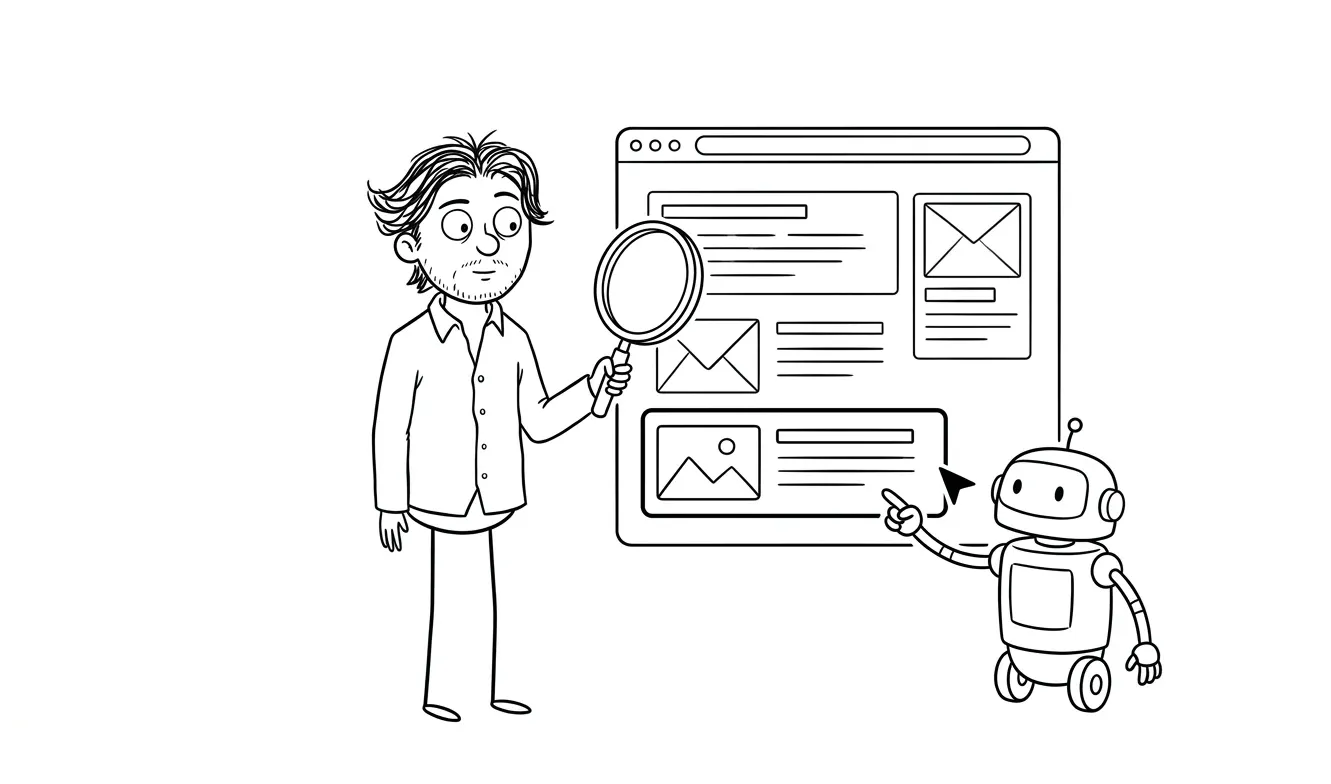
Open ChatGPT, Perplexity, and Gemini. Run a series of test queries that a real potential customer might ask:
- “[your product category] for [your target customer]”
- “what’s the best [tool/service/platform] for [use case you solve]”
- “alternatives to [competitor you’re often compared to]”
- “[your brand name]” (direct entity lookup)
Take notes. Write down whether you appear, what’s said if you do, and what competitors come up instead.
This gives you a before-state. It’s qualitative but useful. If you run the same probes after making changes, you’ll have a rough comparison. That’s exactly the kind of before/after probe set that’s part of my AI visibility service at dee.agency.
What you’re looking for:
- Do you appear at all in relevant category queries?
- Is your description accurate when you do appear?
- Are there factual errors in how AI systems describe you?
- Which competitors consistently appear where you don’t?
Why your competitors show up and you don’t
If the same two or three competitors appear consistently across your test queries, it’s worth looking at what they’re doing differently. Often it comes down to a few things: clearer entity definition on their homepage, more direct question-and-answer content, more external mentions from credible sources, or simply more pages covering the specific use cases you’re both targeting.
Don’t copy their structure blindly, but use the probe results as a map. The gaps they expose are usually the same ones your audit will surface in later steps.
Step 3: Audit your entity and offer clarity
This is the one that trips up most founders, because it feels like a writing problem. It isn’t just that.
AI systems infer what a company does from multiple signals: page titles, meta descriptions, headline copy, structured data, and how other credible pages describe you. If those signals are inconsistent or vague, the model’s understanding of your product will be vague too.
Pull up your homepage, your about page, and your core service or product pages. For each one, ask:
- Can someone (or an AI) understand exactly what you do from the first paragraph alone?
- Does your headline describe the outcome you deliver, or just the category you’re in?
- Is there a clear description of who you help and what problem you solve?
Then look at internal consistency. Does your homepage describe your product the same way your service page does? If one page says “AI-powered analytics” and another says “business intelligence platform,” that inconsistency dilutes the signal.
External mentions matter too
Entity clarity isn’t just about what you say on your own site. AI systems also pull signals from how other sites describe you: directory listings, press mentions, guest posts, third-party review sites, and partner pages. If your Crunchbase profile describes you differently from your homepage, that creates noise.
Do a quick search for your brand name and check the top results. Read the descriptions. Are they consistent with how you describe yourself? If not, updating the ones you control (your own directory listings, partner bio pages, etc.) is worth adding to your fix list.
Checklist for this step:
- Homepage H1 is specific about what you do and who you help
- Meta descriptions on core pages are complete and accurate
- “About” page names the company, describes the product, and mentions credibility signals
- Offer description is consistent across all core pages
- You don’t rely on jargon or brand-specific terms that an AI system wouldn’t understand
- Key external mentions (directories, review sites) are consistent with your own copy
Step 4: Check your content structure for answer-first formatting
AI answer engines pull from content that directly answers questions. They tend to favor pages that state an answer in the first sentence of a section, then expand with context. This is different from traditional SEO content, which sometimes buries the answer to keep readers on the page longer.
Go through your most important pages and blog posts. Look for:
- Do section headings frame real questions your customers ask?
- Does the first sentence of each section give a direct answer?
- Are there clear, scannable lists and definitions where appropriate?
- Is there a FAQ section on pages where one makes sense?
If you’ve been writing for a Google-first world, your content might be heavy on storytelling and light on direct answers. That’s worth addressing before spending on AI visibility fixes.
Related: I wrote a more detailed breakdown of this in my guide on answer engine optimization for startups, which covers content structure alongside the technical side.
Checklist for this step:
- Key pages have question-based headings
- Answers appear in the first 1-2 sentences of each section
- FAQ content exists on core service and product pages
- Long paragraphs are broken up into scannable sections
Step 5: Run a schema and metadata check
Schema markup helps search systems, including AI-powered ones, understand the type of content on a page. It’s not a magic button, but missing basic schema on core pages is a real gap.
Use Google’s Rich Results Test or Schema.org’s validator to check your pages.
For a product or service business, the most useful schema types are:
Organization(your company, with name, URL, description, and logo)WebSite(with sitelinks search box if applicable)ProductorService(for your core offerings)FAQPage(for pages with FAQ content)BreadcrumbList(for navigation context)
Also check your basic metadata. Every page should have a unique, accurate title tag and meta description. Use your browser’s dev tools or a free tool like Screaming Frog (limited free tier available) to scan for missing or duplicate metadata across your site.
What a basic Organization schema looks like
If you’re not sure what to implement first, start with Organization on your homepage. Here’s a minimal example:
{
 "@context": "https://schema.org",
 "@type": "Organization",
 "name": "Your Company Name",
 "url": "https://yourdomain.com",
 "description": "One sentence describing what you do and who you help.",
 "logo": "https://yourdomain.com/logo.png"
}
Add it as a <script type="application/ld+json"> block in your page <head>. It takes 10 minutes and gives AI and search systems an unambiguous signal about who you are. Pair it with a Service or Product block on your core offering pages and you’ve covered the most important ground.
Checklist for this step:
- Organization schema is present on homepage
- Service or Product schema is on core offering pages
- FAQPage schema is on pages with FAQ sections
- All core pages have unique title tags under 60 characters
- All core pages have meta descriptions between 140-155 characters
- No duplicate title tags across the site
Step 6: Check for an llms.txt file
llms.txt is a relatively new convention. It’s a plain-text file at the root of your site that tells AI systems what’s on your site and how to interpret it. Think of it as a direct communication layer to language models.

Check if you have one at yourdomain.com/llms.txt. If you don’t, creating a basic version is worth doing.
At minimum, an llms.txt should describe:
- What your company does
- Who your customers are
- What your core products or services are
- Where the most important pages are
It’s not a ranking mechanism and it doesn’t guarantee citations. But it’s one more legibility signal, and it’s low-effort to set up.
I’ve written a full practical guide on llms.txt setup for startups if you want to go deeper on this.
Checklist for this step:
- llms.txt exists at the root of your domain
- It describes your company, offering, and key pages clearly
- It’s accurate and up to date
What to do after the audit
Once you’ve run through these checks, you’ll have a list of gaps. Some will be quick fixes you can handle yourself. Others will require more involved work.
Here’s how to triage:
Fix yourself: robots.txt issues, missing or wrong metadata, basic schema on homepage, llms.txt creation.
Worth professional help: Content restructuring across multiple pages, entity clarity rewrites, schema implementation across a full site, internal linking fixes, and running proper before/after probe sets to measure impact.
A useful way to think about the split: if the fix is a configuration change or a copy tweak on one page, do it yourself. If it requires rethinking how your whole site communicates what you do, that’s where an outside perspective and someone who does this regularly will save you time and misdirected effort.
If your audit surfaces a lot of gaps and you’re not sure where to start, a focused diagnostic pass with a clear priority list is often the best next step. My Audit + Spec service is $500 and looks at exactly one lens, including AI visibility. The fee applies toward any follow-on work you book within 30 days.
If you already know what needs fixing and you want implementation done, the AI Visibility / GEO Fix is a $3,000 flat-fee service that covers the highest-leverage corrections: entity and offer clarity, content restructuring, schema, llms.txt, crawler access, internal linking, and a before/after probe set.
Unsure whether you have real gaps or just a few small fixes? My Audit + Spec service maps exactly one visibility target so you know what to prioritize. Tell me about your product.
Frequently asked questions
What is an AI search visibility audit?
An AI search visibility audit checks whether AI answer engines like ChatGPT, Perplexity, and Gemini can find, read, and accurately represent your product. It covers crawler access, entity clarity, content structure, schema markup, metadata, and the presence of an llms.txt file. It’s a diagnostic, not a ranking guarantee.
How long does an AI visibility audit take to do yourself?
A basic self-audit covering robots.txt, a probe set across two or three AI tools, metadata checks, and schema validation takes most founders two to four hours. Deeper content restructuring work takes longer, depending on how many pages you have.
Does fixing AI visibility actually get you cited in ChatGPT or Perplexity?
Fixing visibility gaps improves your chances of being retrieved and cited, but nothing guarantees specific citations. AI systems choose what to surface based on many factors. The audit removes blockers and improves your content’s legibility to these systems. What happens after that isn’t something any service can promise.
What is llms.txt and do I need one?
llms.txt is a plain-text file at the root of your domain that describes your company and key pages to AI systems. It’s not an official standard yet, but it’s a low-effort legibility signal worth having. See my llms.txt setup guide for practical setup instructions.
What’s the difference between SEO and AI search visibility?
Traditional SEO targets Google’s link and keyword ranking algorithm. AI search visibility targets how language models retrieve and synthesize content when generating answers. A site can rank well on Google and still be nearly invisible to AI answer engines if it’s not structured for direct retrieval.
When should I hire someone instead of doing this myself?
Do it yourself first. If the audit reveals widespread content structure issues, missing schema across many pages, or you’re unsure how to interpret what you find, that’s when outside help is worth it. A focused Audit + Spec at $500 is a low-risk way to get a clear priority list before committing to a full implementation.
Ready to fix what you find?
If your self-audit turns up real gaps, there are two ways I can help.
For a clear priority list: the Audit + Spec at $500 maps one focused visibility lens and tells you exactly what to fix. The fee credits toward follow-on work.
For full implementation: the AI Visibility / GEO Fix at $3,000 covers entity clarity, content structure, schema, llms.txt, crawler access, and a before/after probe set.
Tell me what you found and we can figure out the right next step.

Got a project worth shipping? Send the brief.
Quote and kickoff date back in a day, usually faster. If it's not a good fit I'll say so.