

AI Automation Scope Template (14 Fields)
Copy this AI automation scope template before you build anything. 14 fields that prevent broken automations, missed edge cases, and wasted builds.
Before you build any AI automation, you need a written scope that answers 14 specific questions: who owns the workflow, what the goal is, what the trigger is, what goes in and comes out, which tools are touched, where the edge cases live, and how you’ll know it worked. This is an AI automation scope template you can copy and fill in before writing a single line of code. Skipping this step is the most common reason automations get built and then abandoned.
Why most AI automations fail before they launch
The failure usually happens before any code gets written. Someone sees a demo, gets excited, and jumps straight to “let’s build it.” Two weeks later, the automation breaks on an edge case nobody thought about, touches a system that needs IT approval, and outputs data nobody agreed to trust.
The question isn’t whether you can automate a workflow. It’s whether you’ve defined it clearly enough that automation is even safe to attempt.
A scope template forces the right conversations early. You fill it in, you find the gaps, you fix the gaps before they cost you time or money. That’s the whole value.
This article gives you the template, field by field, with notes on why each one matters. If you’re still deciding which workflow to automate first, the guide on how to choose your first AI automation project is a good starting point before you come back here.
The AI automation scope template
Copy this structure into a Google Doc, Notion page, or wherever your team plans work. One page per automation. Keep it short. If a field requires three paragraphs, the workflow probably isn’t ready to build yet.
1. Workflow name
A clear, plain-language name for what this automation does. Not “AI project” or “the thing we talked about.” Something like “Invoice intake to Airtable” or “Support ticket triage and routing.”
You’ll reference this name in every follow-up conversation. Make it unambiguous.
2. Workflow owner
Who is responsible for this automation once it’s live? This person approves changes, handles escalations, and decides when the automation is underperforming. If there’s no owner, there’s no accountability, and accountability is what keeps automations maintained after launch.
Name one person, not a department.
3. Goal
What specific outcome does this automation produce? Write it in one or two sentences.
Good: “Automatically extract line items from incoming vendor invoices and add them to the correct Airtable base within five minutes of receipt.”
Bad: “Make invoice processing faster and easier.”
Vague goals produce vague automations. When the scope is ambiguous, builders make assumptions, and those assumptions are usually wrong in ways that don’t surface until production.
4. Current manual steps
List every step a human currently does to complete this workflow. Number them. Be specific about what tool they open, what they read, what they decide, and what they type or click.
This step slows people down, and that’s the point. Most workflows have more steps than anyone realizes. A workflow that sounds like “read email, update spreadsheet” usually turns out to be 11 steps once you map it. Those hidden steps are where automation breaks.
If you can’t list the current steps, you’re not ready to define what automates them.
5. Trigger
What starts the workflow? Automation needs a concrete trigger, not “when someone decides to.” Common trigger types:
- An email arrives in a specific inbox
- A form is submitted
- A row is added or updated in a database
- A webhook fires from another tool
- A scheduled time (e.g., every Monday at 9am)
- A file lands in a folder
The trigger defines the start of every run. If the trigger is fuzzy, the automation runs at the wrong time or not at all.
6. Inputs
What data does the automation need to do its job? List every input and where it comes from.
Be specific. “Customer information” is not an input. “Customer email address from the form submission’s email field” is an input.
Also note the format. Is it a PDF attachment? A JSON payload? Plain text? A row in a Google Sheet? Format mismatches are one of the most common causes of automation failures in production.
7. Outputs
What does the automation produce when it runs successfully? This could be a row written to a database, a Slack message sent, an email drafted, a document created, a record updated.
List every output with its destination. If the output goes to a tool, name the tool, the specific table or channel or folder, and the fields that get populated.
This section is where you catch scope creep. If the automation has 12 outputs, it’s probably doing too much. Split it.
8. Tools touched
List every tool, API, or system the automation reads from or writes to. Include:
- Data sources (databases, spreadsheets, CRMs)
- Communication tools (email, Slack, SMS)
- File storage (Drive, Dropbox, S3)
- Third-party APIs
- Internal tools
For each tool, note whether the automation has read access, write access, or both. If you don’t yet have API credentials or know who controls access, flag it. Access issues kill timelines faster than technical complexity.
9. Edge cases and exceptions
What inputs or situations could break the expected flow? For every input, ask: what if it’s missing? What if it’s in the wrong format? What if it’s empty, ambiguous, or malformed?
Write these down as “if/then” statements:
- If the invoice has no line items, then…
- If the email subject doesn’t match the expected pattern, then…
- If the API returns an error, then…
You don’t need to solve all edge cases before building. You need to know they exist and decide whether to handle them in v1 or log them for manual review. Unacknowledged edge cases become production incidents.
10. Approval points
Does any step in this workflow require a human to review before the automation proceeds? If so, where?
Some automations run fully unattended. Others need a human to approve an AI-generated draft before it gets sent. Define this explicitly. “Humans in the loop” aren’t a sign of a weak automation. They’re a sign of a well-designed one, especially when the stakes are high.
The NIST AI Risk Management Framework covers the broader principles behind human oversight in AI systems. It’s worth a look if your automation touches any regulated or high-stakes processes.
11. Data sensitivity
What kind of data does this automation touch? Mark it:
- Public (no restrictions)
- Internal (company data, not regulated)
- Sensitive (customer PII, financial data, health data, legal documents)
If the automation handles sensitive data, it needs additional review: how data is stored, who can see it, whether it passes through third-party AI APIs, and whether that’s compliant with your obligations. This isn’t bureaucracy. It’s avoiding a problem that’s much harder to fix after something is live.
For automations that pass data through external AI APIs, check the data processing terms for whichever provider you’re using. OpenAI’s usage policies and their API data handling documentation are a reasonable starting point if you’re building on their platform.
Scoping an AI automation? My AI Integration & Automation service works through exactly this kind of discovery before any build starts. Tell me what you’re trying to automate.
12. Success metric
How will you know the automation is working? Define at least one measurable metric before you build.
Examples:
- Invoices processed per hour (before: 4, target: 40)
- Time from form submission to Slack notification (target: under 60 seconds)
- Percentage of tickets auto-routed without human triage (target: 70%)
- Error rate below a defined threshold
Without a metric, you can’t evaluate whether the automation is doing what you intended. You also can’t make a case for expanding it or explain why you’d shut it down.
13. Acceptance test
What’s the specific test you’ll run before calling the automation ready to launch? Write it like a QA scenario:
“Given a valid PDF invoice with at least one line item, when the email arrives in the invoice inbox, then the invoice should appear in the Airtable base with correct fields populated within five minutes, and a Slack message should appear in #finance-alerts.”
One concrete scenario, minimum. Add more for edge cases you decided to handle in v1.
14. Launch plan
How does this automation go live? Define:
- Who reviews it before launch?
- Does it start in a staging environment or go straight to production?
- Is there a parallel run period where the automation and the manual process run simultaneously?
- How will you monitor it in the first week?
- Who gets notified if it fails?
“We’ll deploy it and see what happens” is not a launch plan. A parallel run period, even a short one, catches edge cases that testing missed.
How to use this AI automation scope template in practice
Fill it in during a focused working session, ideally with the person who currently does the manual work. That person knows the edge cases. They know why the spreadsheet has that weird column nobody touches. They know which vendors send invoices in a format that doesn’t match anything else.
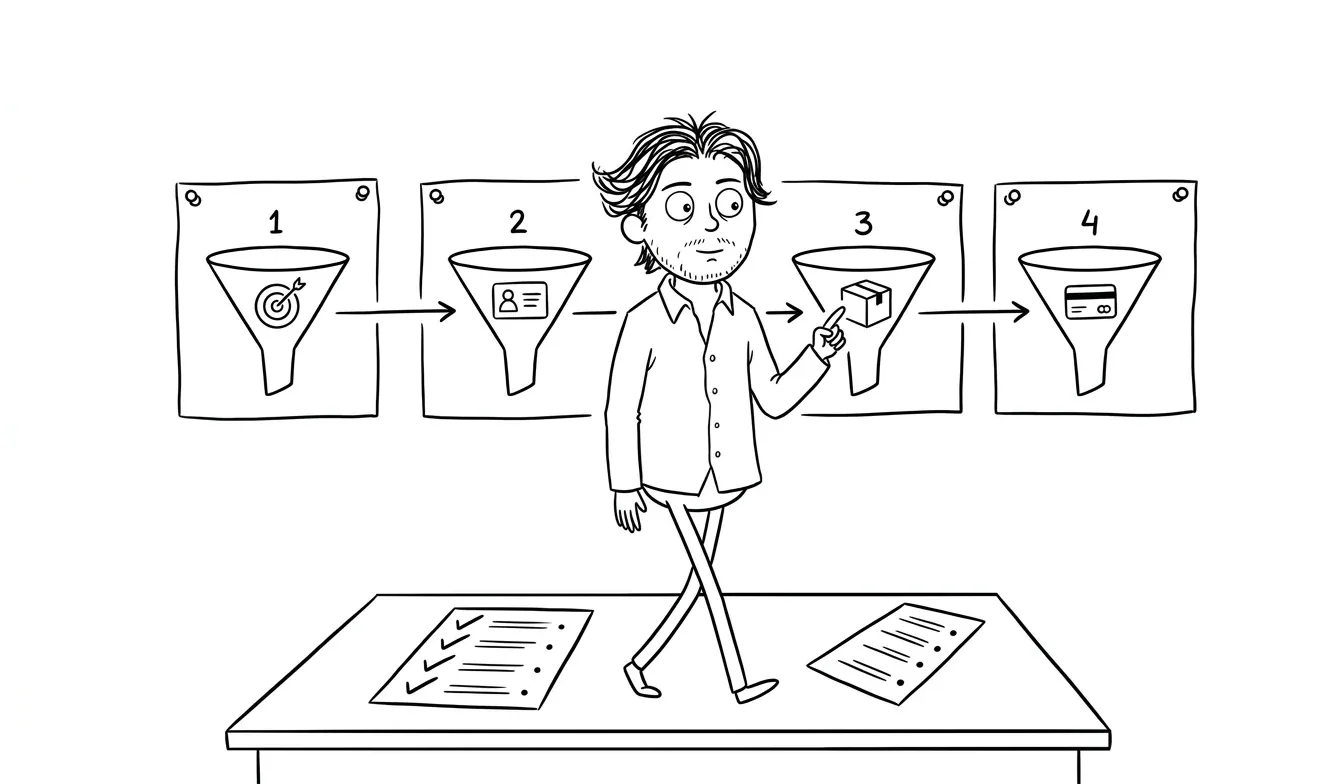
Aim for a one-page scope. If it runs longer, the automation is probably too broad. Break it into two or three smaller automations, each with their own scope.
Once the template is filled in, review it with whoever will build the automation before the build starts. Treat it like a spec. Changes to scope after build starts cost time. Changes to scope after launch cost more.
A worked example: support ticket triage
Here’s what a filled-in scope looks like for a common use case. Say a small SaaS company gets 80 support emails a day and the founder is triaging every one manually.
The goal: route incoming support emails to the right Slack channel based on category (billing, bug report, feature request, general) within two minutes of receipt, with unclassified emails flagged for manual review.
The trigger: an email lands in the support inbox.
The inputs: email subject line and body text.
The outputs: a Slack message in the appropriate channel, formatted with the sender’s email, the subject, a one-sentence summary, and a link to the original email thread.
Tools touched: Gmail (read), OpenAI API (classify), Slack (write).
Edge cases: emails with no body text, emails in languages other than English, emails that match multiple categories simultaneously.
Approval points: none in v1. Everything routes automatically. Unclassified emails go to a #support-review channel for a human to handle.
Success metric: 75% of emails routed without manual intervention in the first week.
Acceptance test: given an email with the subject “My payment failed” and a body describing a billing issue, the automation should post to #support-billing within two minutes.
That’s a one-page scope. That’s what you’re aiming for.
Reviewing the scope as a team
Before handing the scope to a builder, do a 20-minute review with anyone who touches the workflow. The goal isn’t to debate every decision. It’s to catch anything that’s obviously missing or wrong.
Ask two questions: does anything here surprise you? And is there anything we haven’t covered that could break this in production?
Those two questions surface most of the real gaps.
What a filled-in scope tells you
A complete scope does two things. First, it tells you whether the automation is ready to build. If any field is blank or vague, you’re not ready. Fill the gap or decide it’s out of scope.
Second, it tells you how complex the build actually is. A trigger-to-single-output automation with no edge cases and no sensitive data is a different project than one with five inputs, three approval points, and regulated data. The scope makes that visible before you’ve committed budget or time.
If you fill in this template and realize the workflow is genuinely complicated, that’s valuable information. You’ve saved yourself from discovering it midway through a build.
For a deeper look at scoping in general, the AI automation implementation plan guide covers how to turn a selected workflow into something testable. And if you want to understand how to calculate whether the build is worth it financially, the AI automation ROI calculator walks through the math before you commit.
Common mistakes when filling in the template
Even with a template in front of them, most teams make the same few mistakes. Knowing them in advance saves time.
Writing goals that sound like outcomes but aren’t measurable
“Improve efficiency” isn’t a goal. “Reduce time spent on invoice processing from 3 hours per week to under 30 minutes” is. If you can’t attach a number to the goal, push yourself until you can. That number becomes your success metric in field 12.
Listing tools without checking access
It’s easy to write “Salesforce” in the tools section and assume access is handled. It usually isn’t. API credentials, permission tiers, and security reviews take time, especially in companies with real IT policies. Flag every tool where access isn’t confirmed before the scope is finalized.
Skipping the manual steps field
This is the most skipped field and the most valuable one. Builders who don’t see the current manual steps make assumptions about what the workflow involves. Those assumptions are almost always wrong in at least one place. The manual steps field is your chance to catch that before it becomes a bug.
Treating edge cases as something to figure out later
Edge cases handled in the design phase cost almost nothing. Edge cases discovered in production cost real time, and sometimes real trust. The goal isn’t to handle every edge case in v1. It’s to decide consciously which ones you’re handling and which ones you’re logging for manual review.
When to get outside help with scoping
Some automations are straightforward enough to scope and build in-house. Others need a structured diagnostic before you know what you’re actually dealing with.
If you’re not sure which workflows are worth automating, or if you have a list of candidates and can’t decide where to start, a focused audit is the right first move. At $500, it’s one focused lens on your workflow or product, and the fee is credited toward build work if you move forward within 30 days. It’s designed to answer the “what should we actually build” question before committing to a full build.
The AI Integration & Automation service picks up where the scope leaves off. Once you’ve got a clear definition of what needs to be built, the build can start with confidence.
MIT Sloan’s research on AI implementation consistently points to unclear problem definition as the primary reason AI projects underdeliver. A filled-in scope is how you avoid being in that category.
Frequently asked questions
What should an AI automation scope template include?
A solid scope template covers the workflow owner, goal, current manual steps, trigger, inputs, outputs, tools touched, edge cases, approval points, data sensitivity, success metric, acceptance test, and launch plan. That’s 14 fields. If any are missing, the build is likely to hit preventable problems.
How long should it take to fill in an automation scope?
A focused working session of one to two hours should be enough for most automations. If it takes much longer, the workflow is probably too complex to automate as a single unit and should be split up first.
Do I need a developer to scope an AI automation?
No. The scope is a planning document, not a technical spec. It should be written by the person who understands the workflow best, often someone on the operations or business side. Developers use it to build, but they don’t need to author it.
What happens if I skip the scoping step?
You build something that breaks on real data, doesn’t have a defined owner, and can’t be evaluated against any metric. Most failed AI automations trace back to a skipped or vague scope.
How is an AI automation scope different from a general project brief?
The automation scope is more granular. A project brief covers goals and timeline. A scope template goes deeper: specific triggers, data formats, edge cases, approval logic, and acceptance tests. General briefs don’t surface the operational details that make or break an automation.
When should I hire someone to help with scoping?
If you have multiple workflows competing for attention and aren’t sure which to prioritize, or if the workflow touches regulated data or complex systems, getting outside help at the scoping stage is worth it. A focused audit is designed exactly for that situation.
Ready to scope your first automation?
If you’ve got a workflow in mind and want to make sure you’re building the right thing, I offer a flat-fee AI Integration & Automation service that includes a scoping phase before any build starts. Or if you want a focused diagnostic first, the Audit + Spec is a $500 single-lens review that gets credited toward follow-on work.

Got a project worth shipping? Send the brief.
Quote and kickoff date back in a day, usually faster. If it's not a good fit I'll say so.