

MVP Feature Prioritization Framework
A practical MVP feature prioritization framework for founders: start with your riskiest assumption, score every feature, and ship only what v1 needs.
The most useful MVP feature prioritization framework starts with one question: what’s the riskiest assumption your business depends on? Once you know that, you build only what you need to test it. At dee.agency, that’s the core of the flat-fee Idea to MVP process. Start from your biggest unknown, map the smallest complete user journey that tests it, then strip everything else out. What’s left is your v1.
Why most feature lists are wrong from the start
Founders usually build their feature list by imagining the finished product. They think: what would a great version of this look like? Then they write it all down and call it scope.
That’s backwards.
Your MVP isn’t a small version of the finished product. It’s a test of your most important business assumption. Every feature that doesn’t help you run that test is a distraction, a cost, and a delay.
The practical MVP feature prioritization framework I use doesn’t start with features at all. It starts with risk.
Step one: name your riskiest assumption
Every early-stage product has one assumption that, if it’s wrong, makes everything else irrelevant. It’s usually one of these:
- People have this problem badly enough to change their behavior
- They’ll pay for this specific solution
- You can deliver the solution at a cost that makes business sense
- The core mechanic of your product actually works
Write yours down in one sentence. Something like: “Freelancers will pay $49/month to automate their invoicing rather than use a spreadsheet.”
That assumption becomes your filter. Every feature you’re considering gets one question: does it help you prove or disprove that assumption? If yes, it might belong in v1. If no, it goes on the backlog.
If you’re not sure what your riskiest assumption actually is, a focused scoping session can help. That’s exactly what the Audit + Spec is for: one lens, applied to your specific problem, before you commit to building anything.
Step two: map the smallest complete user journey
Once you know what you’re testing, you need to define the minimum path a user has to take to give you a meaningful result.
“Smallest complete” is key here. Not smallest possible, where you’re handing people a prototype that barely functions. Complete means the user can actually do the thing and you can observe whether it worked.
Map it out as a linear flow:
- User arrives and understands the value proposition
- User signs up or provides contact info
- User does the core action your product is built around
- User gets the outcome your product promises
- You can measure whether it worked
Every feature you’re considering should map to one of those five steps. If it doesn’t touch any of them, it’s not v1 material.
The test is simple: if a feature fails or goes missing, does the core journey break? If yes, it’s required. If no, it’s optional.
This is also the point where I’d encourage you to look honestly at what steps could be done manually or with existing no-code tools. If step three could be handled by a Typeform and a Zapier automation for your first 50 users, you don’t need to build custom logic yet. You need to learn whether users actually complete step three, not whether your custom logic handles it elegantly.
More on this in my article on how to scope an MVP without overbuilding.
Step three: separate revenue-critical from comfort features
This is where most founders get into trouble. They conflate “users would probably like this” with “we need this to launch.”
Run every feature through two questions:
Is this revenue-critical? Meaning: without it, users can’t pay you, can’t complete the core action, or will immediately churn because the product is broken.
Is this a comfort feature? Meaning: it would make the experience nicer, smoother, or more professional, but the core value is still delivered without it.
Comfort features get cut from v1. That includes things like:
- Profile customization
- Email notification preferences
- Dark mode
- Complex filtering or sorting
- Onboarding tooltips (unless your core mechanic is genuinely impossible to understand without them)
- Social sharing
- Analytics dashboards for the user (you still need your own instrumentation)
- Most settings screens
These aren’t bad features. They just don’t belong in the first build. They belong in v1.1, after you’ve confirmed that people want the core product at all.
This distinction gets harder when you’re building in a competitive space. If a direct competitor already has a polished product with all these comfort features, you might feel pressure to match them. Resist it. Your goal isn’t to out-feature an established product on day one. It’s to find out whether your specific value proposition is worth building further. A rougher product that tests a real assumption is more useful than a polished product that tests nothing.
The Y Combinator approach to MVPs puts it plainly: launch something that a small number of users love, not something that a large number of users find acceptable. That framing is useful when you’re deciding whether to add polish or ship.
The MVP feature prioritization framework scoring table
Here’s a simple scoring framework you can copy into a spreadsheet. Rate each feature from 1 to 3 on each dimension, then add the scores.
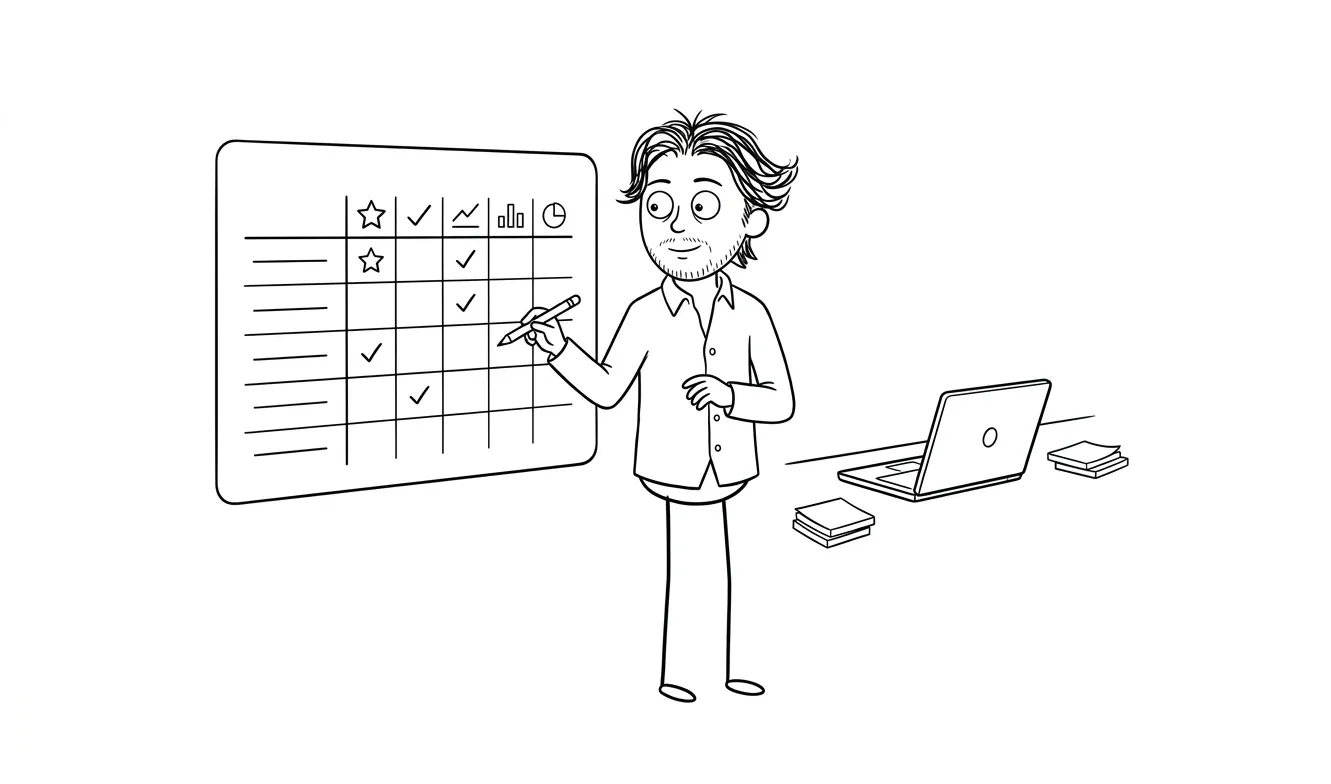
| Feature | Tests core assumption (1-3) | Required to complete journey (1-3) | Revenue-critical (1-3) | Can be manual/no-code (yes = -1) | Total |
|---|---|---|---|---|---|
| User auth | 1 | 3 | 3 | No | 7 |
| Core action screen | 3 | 3 | 3 | No | 9 |
| Payment flow | 2 | 2 | 3 | Yes | 6 |
| Email notifications | 1 | 1 | 1 | Yes | 2 |
| User profile settings | 1 | 1 | 1 | No | 3 |
| Onboarding flow | 2 | 2 | 1 | Yes | 4 |
Scoring guide:
- 8-9: Build it for v1, no question
- 5-7: Build it if no-code won’t work, otherwise defer
- 2-4: v1.1 or later
- Anything that scores “can be manual/no-code = yes” with a total under 6: skip the build entirely until you validate demand
Adjust the weights to match your product type. A fintech product has different revenue-critical thresholds than a B2C social tool.
How to use this table in practice
The table gives you a ranked list, but it still requires judgment. A feature that scores 7 might be a clear build if you’re shipping in React and the implementation is a few hours. The same score on something that requires a third-party API integration and a week of backend work tips the decision differently.
Use the scores as a starting point for the conversation, not a final answer. When you’re filling in the table with a co-founder or a developer, the discussion itself is often more valuable than the final numbers. You’ll surface assumptions you didn’t know you were making.
The RICE scoring method from Intercom is a useful complement if you want a more formal framework later. RICE (Reach, Impact, Confidence, Effort) works well once you have real usage data. For a first build, the simpler table above is faster and easier to reason about without any data at all.
Step four: account for technical dependencies
Some features score low on their own but are required because something higher-scoring depends on them. You can’t have user-specific data without authentication, even if auth itself doesn’t test your core assumption.
Map your dependencies before finalizing the v1 list. The structure looks like this:
- List every v1 feature from your scoring table
- For each one, ask: what does this require to exist?
- Add required dependencies even if they scored low
This often reveals that your “simple v1” has more infrastructure than you expected. That’s fine. Better to know now than to discover it mid-build.
It’s also the moment to ask whether a dependency can be bought rather than built. Stripe for payments. Auth0 or Supabase for authentication. Resend or Postmark for transactional email. Building auth from scratch to save a $25/month tool subscription is almost never the right call for an MVP.
Leaning on existing services for infrastructure also keeps your codebase smaller and your maintenance burden lower. Every custom-built piece of infrastructure is a piece you’ll have to maintain, debug, and eventually replace. At the MVP stage, that cost compounds fast.
Step five: build your backlog in three buckets
Once you’ve done the scoring and mapped the dependencies, divide everything into three buckets:
v1 (ship it) These are the features that scored 8-9, their required dependencies, and anything where manual workarounds would actively break trust with users. This is your first build. Everything else stays out until this ships and you learn something.
v1.1 (build it second) Features that scored 5-7, comfort features that users asked for during early testing, and any manual workarounds that need to be automated because they’re taking up too much of your time. You build these after you’ve confirmed the core works and people want more.
Later (validate first) Everything else. These features get built only if users specifically ask for them, or if a business metric makes clear that their absence is causing churn. Most of them will never get built because you’ll discover better ideas once real users are using the product.
Keep this backlog somewhere visible. It’s not a graveyard, it’s a queue. But nothing moves from “later” to “v1.1” without a reason tied to real data.
Applying the MVP feature prioritization framework to different product types
The core logic of this framework stays the same across product types, but the weights shift.
B2B SaaS
Revenue-critical gets a heavier weight here because your early users are likely paying customers from the start, or close to it. A broken payment flow, missing data export, or incomplete permission model will kill deals before they close. Auth and role-based access often move into the v1 bucket even when they score lower on the assumption-testing dimension.
Consumer apps
The bar for “revenue-critical” is lower if you’re not charging on day one. Here, the riskiest assumption is almost always about engagement: will people come back? That shifts weight toward the core action and the feedback loop it creates. The payment flow can wait. A daily active use mechanic usually can’t.
Marketplaces
Marketplaces have a supply-and-demand cold start problem that makes prioritization harder. You usually need a functional experience for two different user types before you can test anything meaningful. Map the minimum journey for each side separately, then look for the infrastructure that both sides share. That overlap is almost always in v1. Everything else is v1.1.
Internal tools and automation products
These often have a single user type and a very concrete riskiest assumption: does this actually save time? The scoring table works cleanly here. Build the minimum automation, run it for a real workflow, and measure whether it’s faster. If you’re curious how this applies to AI-powered automations specifically, the AI automation for small business article has useful context on where automation adds real value versus where it adds complexity.
The MVP feature prioritization framework as a checklist
Here’s the full sequence in a form you can run for any feature:

[ ] Does this feature help test the riskiest assumption?
[ ] Does this feature appear in the minimum user journey?
[ ] Is the core value broken without this feature?
[ ] Is this revenue-critical (not just nice-to-have)?
[ ] Can this step be done manually or with no-code tools?
[ ] What does this feature depend on technically?
[ ] Which bucket does it belong in: v1, v1.1, or later?
Run every candidate feature through that list. Be honest with the answers. “Users would expect this” is not the same as “the product doesn’t work without this.”
Need help scoping your MVP? The flat-fee Idea to MVP service covers product strategy, design, and build for $9,000. Tell me what you’re working on.
What this framework doesn’t solve
Prioritization frameworks don’t make the hard judgment calls for you. They help you think clearly, but you still have to decide what counts as revenue-critical for your specific product. You still have to be honest about what’s a comfort feature you personally want versus what users actually need.
The other thing this framework doesn’t replace is validation before the build. Scoring your features against a riskiest assumption only works if you’ve actually identified the right assumption. If you’re uncertain there, start earlier: talk to potential users, test demand with a landing page, or run a quick spec exercise before committing to a full build.
The MVP validation plan article covers exactly that part of the process, if you want to go deeper.
When to ask for help
This framework is designed to be usable on your own. But there’s a point where an outside perspective saves you real time and real money.
If you’ve run the scoring and you’re still not sure what belongs in v1, it usually means one of two things: the riskiest assumption isn’t clear yet, or the technical dependencies are more tangled than they look.
Both of those are solvable with a focused scoping session. The Audit + Spec at dee.agency is designed for exactly that: one focused lens, one clear output, and it applies toward the full MVP build if you move forward within 30 days.
The goal isn’t to add process for its own sake. The goal is to ship something real, learn something useful, and not spend six months building features nobody asked for.
Frequently asked questions
What is an MVP feature prioritization framework?
An MVP feature prioritization framework is a structured way to decide which features belong in your first build and which ones should wait. The most practical approach starts with your riskiest business assumption, maps the minimum user journey needed to test it, and scores every feature against those criteria before a single line of code is written.
How do I decide what features to include in my MVP?
Start by identifying your single riskiest business assumption, then map the smallest complete user journey that tests it. Every feature that doesn’t appear in that journey or help prove the assumption is a candidate for the backlog, not v1. A simple scoring table rating each feature on how well it tests your assumption, how essential it is to the journey, and whether it’s revenue-critical gives you a clear ranking.
What’s the difference between a v1 feature and a v1.1 feature?
A v1 feature is something the core user journey genuinely breaks without. A v1.1 feature is something that improves the experience or automates a manual workaround, but the product still delivers its core value without it. Comfort features, customization options, and notification preferences are almost always v1.1 or later.
Should I build auth from scratch for my MVP?
Almost never. Authentication is a technical dependency for most products, but building it from scratch is rarely worth the time at the MVP stage. Tools like Supabase, Auth0, and Clerk handle auth reliably at low cost and let you focus your build time on the features that actually test your business assumption.
When should I hire someone to help scope my MVP?
If you’ve run a prioritization exercise and you’re still unclear about what belongs in v1, or if your technical dependencies are more complex than expected, it’s worth getting a focused outside perspective. A structured scoping session before the build prevents much more expensive course-corrections later.
How much does it cost to build an MVP?
MVP costs vary widely depending on complexity, stack, and who you hire. Dee Agency’s Idea to MVP service is a flat $9,000 and covers strategy, design, and build. For more context on what drives MVP pricing across different options, the full MVP cost breakdown is a useful reference.
Ready to scope your first build? Dee Agency’s Idea to MVP service is a flat-fee $9,000 engagement covering strategy, design, and development. If you want to start with a focused scoping session first, the Audit + Spec is $500 and applies in full toward the MVP build. Tell me about your project.

Got a project worth shipping? Send the brief.
Quote and kickoff date back in a day, usually faster. If it's not a good fit I'll say so.