
Landing Page FAQ Section Checklist for Service Businesses
Plan your landing page FAQ section before design starts. Covers question sourcing, answer format, placement, and structure for service businesses.
A landing page FAQ section checklist for service businesses covers the questions visitors are already asking before they leave your page. Before design or build, you need to know which objections to address, how many questions to include, how to phrase them, and where the section lives in your page structure. Get this right in planning and the FAQ does real conversion work. Skip it and you end up retrofitting copy into a layout that wasn’t built for it.
Why the FAQ section matters before you write a single line of copy
Service pages can lose visitors quietly. The visitor reads your offer, gets interested, then hits a question that isn’t answered anywhere on the page. They don’t email you. They just leave.
A well-built FAQ section catches those people. It answers the specific things that create hesitation: pricing, timeline, process, scope, what happens if something goes wrong. Not generic questions, not questions you want to answer. The ones your actual visitors are thinking.
The problem is that most FAQ sections get added late. The designer lays out the hero, the offer section, the trust signals, the CTA, and then there’s a note at the bottom: “FAQ here, TBD.” Then the client supplies five questions at the last minute and they don’t fit the layout, the copy doesn’t match the page tone, and nobody’s sure what they’re actually for.
Doing this work before design solves that. When you know what questions you’re answering, how many there are, and what format they need to be in, the designer can build a section that actually holds them.
The FAQ section isn’t a formality. It’s a second sales layer for visitors who aren’t quite sold yet.
Landing page FAQ section checklist for service businesses: the full list before design or build
Here’s the checklist broken into the areas that matter. Work through these before you hand off to a designer or start building.
Define the purpose of your FAQ section
Before you write anything, answer this:
- Is this FAQ primarily for handling objections, or for clarifying logistics, or both?
- Are you using it to reduce inbound “how does this work?” messages?
- Is it supporting a specific CTA (book a call, buy now, submit a form)?
- Will it be the last thing a visitor reads before deciding to contact you?
The answers shape everything. An FAQ that exists to reduce support volume reads differently from one that exists to push a hesitant visitor into a call.
Identify the right questions to answer
This is where most FAQ sections go wrong. Don’t invent questions. Find them.
- Pull questions from real sales conversations and discovery calls
- Check your contact form messages for recurring patterns
- Look at competitor reviews on G2, Capterra, or Google for the friction buyers mention
- Review your own “questions before booking” emails
- If you have a support inbox, scan for pre-sale questions specifically
Then filter:
- Keep questions that would stop a qualified visitor from converting
- Remove questions that are only relevant after someone has already paid
- Remove questions that reveal internal process without adding visitor value
- Remove questions that are actually just restatements of your offer section
Aim for six to ten questions. Fewer than five feels thin. More than twelve starts to look like a documentation page.
Write the questions the way your visitors ask them
Visitors don’t ask “What is the scope of your engagement?” They ask “What exactly do I get?” They don’t ask “What is your refund policy?” They ask “What if it doesn’t work for me?”
- Write questions in first person: “What do I get?” not “What does the client receive?”
- Use the same words your visitors use, not your internal terminology
- Keep each question short. One question per entry, no compound questions
- Don’t answer the question in the question
Write answers that actually answer the question
Each answer should:
- Start with the direct answer, then add context if needed
- Be two to four sentences for most questions
- Avoid sending visitors away from the page to find the answer
- Avoid “it depends” as a full answer. Give the most common case, then note exceptions
- Not repeat copy already covered in the offer or trust sections at length
A question like “How long does this take?” should get “Typically [X weeks/days] from kickoff, assuming [condition]” rather than “Timelines vary based on many factors.” The second answer makes visitors more anxious, not less.
Cover the categories that do real conversion work
Run through these categories and make sure your FAQ set has coverage:
Scope and deliverables
- What exactly is included?
- What is not included that visitors might assume is?
- Are revisions included, and how many?
Price and payment
- Is pricing visible on the page? If not, the FAQ should address it
- Are there payment plans or deposits?
- What triggers the final payment?
Timeline
- How long from start to delivery?
- What can affect that timeline?
- When does the clock start?
Process
- What does working together actually look like?
- What does the visitor need to provide or prepare?
- How do you communicate during the project?
Risk and recourse
- What happens if the visitor isn’t happy with the result?
- Is there a revision period?
- How is scope handled if requirements change?
Fit and qualification
- Who is this service best for?
- Who is it not a good fit for?
- Do you work with [relevant niche/context]?
You don’t need a question for every sub-bullet. But if an entire category is missing from your FAQ, visitors in that category will leave without an answer.
Covering price, timeline, scope, and recourse in your FAQ handles the practical “I’m almost sold but not quite” objections.
Landing page FAQ section checklist for service businesses: structure and design inputs
Once the copy direction is clear, you need to give the designer usable inputs.
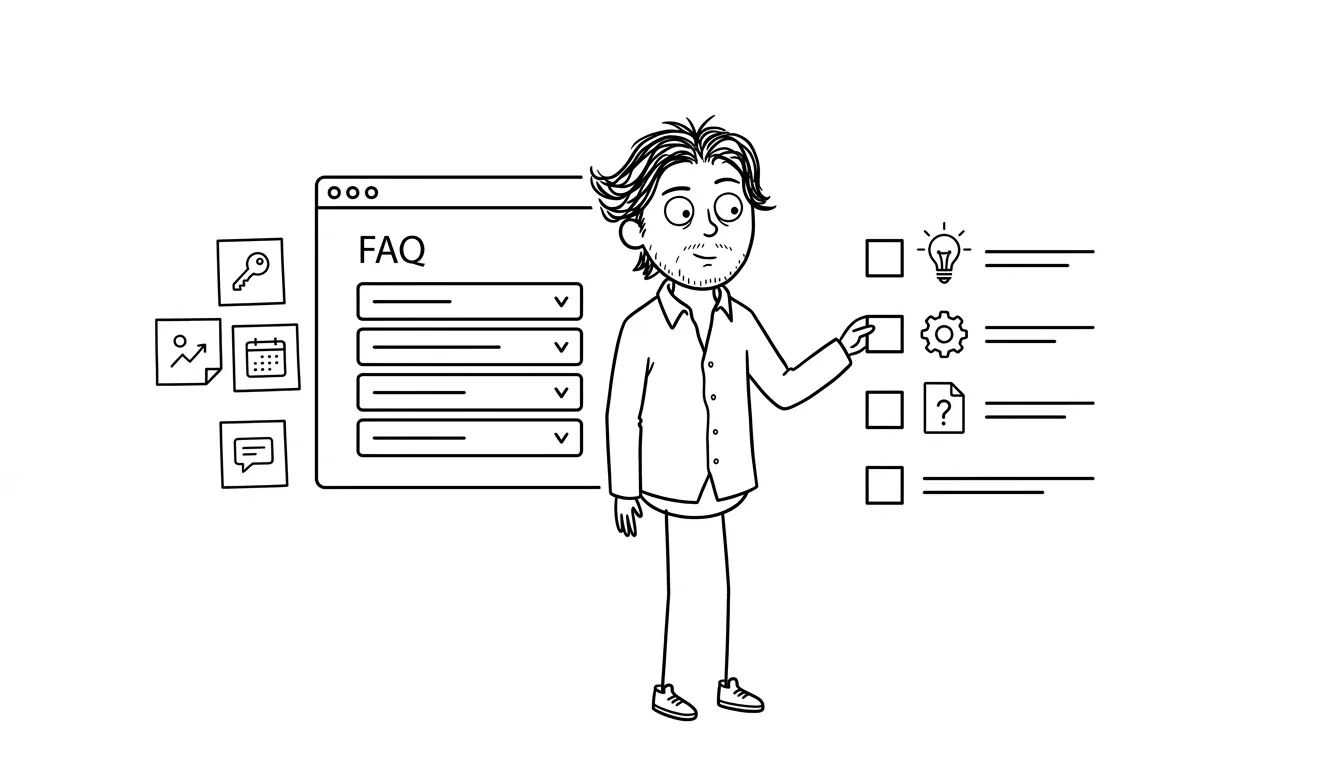
Confirm question count and expansion behavior
- How many questions are there? (Final count before design starts)
- Should the FAQ be a static list or an accordion (collapsed/expanded)?
- If accordion, what’s the default state? All collapsed, first one open, or all open?
- Is there a “show all” / “load more” if the list is long?
For most service landing pages, a collapsed accordion works well. It keeps the section visually compact while making all the content accessible. But the designer needs to know this before they build the layout.
Decide placement in the page flow
FAQ sections work best when placed after the trust signals and before the final CTA. By that point the visitor has read:
- What you do and who it’s for (hero)
- The offer and what’s included (offer section)
- Social proof and credibility (trust section)
- Then FAQ handles remaining questions
- Then CTA closes the page
If your FAQ is primarily about overcoming “is this legit?” doubts, it can come before the trust section. If it’s primarily about process and logistics, it belongs after. Decide this before design.
According to Nielsen Norman Group research on FAQ pages, FAQ sections are most effective when they address genuine user questions rather than questions the organization wishes users would ask. That distinction matters for service pages especially, where the gap between what you want to say and what visitors actually need to know can be significant.
Check out the landing page offer section checklist to make sure the offer section is doing its job before the FAQ picks up the remaining objections.
Define visual hierarchy within the FAQ
- Will questions be styled differently from answers (larger, bolder)?
- Is there an icon for the expand/collapse toggle?
- Is there a section header (“Questions about working with us,” “Frequently asked,” or just “FAQ”)?
- Should the section have a background color to distinguish it from surrounding sections?
These aren’t styling decisions for the copy writer, but they affect how much copy the designer is working with. An accordion layout with a header above it needs different space than a static two-column Q&A.
Check character length and layout fit
Before handoff, scan your answers for length problems:
- Answers over six sentences should probably be trimmed or split
- Answers with embedded links or sub-bullets need the designer to know this before layout
- If any answer includes a visual (a comparison, a small table, a process step), note that explicitly
Most FAQ answers on a landing page should be two to four sentences. If you’re writing paragraphs, you’ve left something important out of your offer section and you’re trying to fix it in the FAQ.
What a weak FAQ section looks like vs. a useful one
| Problem | Weak version | Better version |
|---|---|---|
| Generic questions | ”What is your process?" | "What happens after I fill out the contact form?” |
| Vague answers | ”It depends on your needs." | "Typical timelines are shown above, and the clock starts after kickoff materials are ready.” |
| Missing price context | No price mentioned anywhere | ”Pricing starts at $3,000. You can see exactly what’s included above.” |
| Tone mismatch | Formal FAQ at bottom of casual page | Questions written in the same voice as the rest of the page |
| Too many questions | 20 questions covering everything | 7-9 questions covering the real hesitations |
| Wrong placement | FAQ buried after the final CTA | FAQ placed before the final CTA, after trust signals |
Common FAQ mistakes service businesses make
Answering questions nobody’s asking. If “What is your cancellation policy?” never comes up in sales conversations, don’t put it in the FAQ just because every FAQ has one.
Using the FAQ to avoid transparency elsewhere. If pricing isn’t visible anywhere on the page, a FAQ answer like “contact us for pricing” doesn’t help. Visitors want the answer on the page.
Writing for SEO only. FAQ sections can carry search value, but a landing page FAQ optimized for keyword phrases that don’t match how your visitors actually talk will read awkwardly and won’t convert. The Google Search Central guidance on helpful content reinforces this: write for people first, not for search engines.
Duplicating the offer section. If your offer section already explains what’s included, the FAQ doesn’t need to re-explain it at length. FAQ is for the residual questions, not a summary of what’s already been said.
Forgetting to update it. Pricing changes, scope changes, timelines shift. If your FAQ has outdated information, it actively damages trust when a visitor notices the discrepancy.
Connecting FAQ to the rest of your landing page
The FAQ doesn’t work in isolation. It depends on the sections above it doing their job first.
If your trust section is weak, the FAQ gets asked to carry too much skepticism. If your offer section is vague, the FAQ becomes a place to explain what the page should have made clear. If your CTA is poorly placed, the FAQ can’t hand the visitor off cleanly.
Before you finalize FAQ content, check whether your landing page trust section is actually building enough credibility to make the FAQ feel like resolution rather than rescue.
And before you build anything, the landing page CTA checklist is worth running through, since the FAQ feeds directly into whatever action you’re asking visitors to take.
If you want to go further with AI search visibility, adding FAQ schema markup to your service pages is a separate layer that helps answer engines like ChatGPT and Perplexity pick up your content.
Need a landing page built with all of this figured out? Dee Agency’s Landing Page Design & Build is a flat-fee $3,000 service that covers copy structure, layout, and build. Start with a conversation.
Frequently asked questions
How many questions should a landing page FAQ section have?
Six to ten questions works well for most service landing pages. Fewer than five feels incomplete. More than twelve starts to look like documentation rather than a sales page. Focus on the questions that appear most often in actual sales conversations.
Where should the FAQ section go on a landing page?
After your trust signals and before your final CTA is the most common pattern. By that point the visitor has seen your offer, your proof, and your process. The FAQ handles residual hesitation before the CTA asks them to act.
Should a landing page FAQ section use an accordion or show all questions expanded?
Either works. Accordion keeps the section visually compact and lets visitors scan for the question they care about. Fully expanded is simpler to build and removes the interaction step. For pages with more than six questions, an accordion is often the cleaner choice.
Should FAQ answers on a landing page be optimized for SEO?
FAQ sections can pick up search visibility through structured content, but the primary goal on a landing page is conversion. Write answers in the voice your visitors use and answer the actual question directly. If you’re also targeting search traffic, schema markup for service pages is a separate layer worth adding.
What questions should always be in a service business FAQ section?
Cover pricing or price range, timeline, what’s included, what the visitor needs to provide, what happens if they’re not satisfied, and who the service is and isn’t for. Those six categories cover the conversion blockers service-business visitors often need answered before they act.
Can I add a FAQ section to a landing page after it’s built?
You can, but retrofitting copy into a layout that wasn’t designed for it creates friction. The placement, visual treatment, and copy volume all work better when they’re planned before design starts. Running this checklist before the build avoids that problem.
Build the landing page with everything already figured out
FAQ copy, offer structure, trust section, CTAs. When all of it is planned before a single frame is designed, the page comes together faster and works harder.
Dee Agency’s Landing Page Design & Build is a flat-fee $3,000 service that includes everything from structure and copy to final build. If you’re not sure whether you need a full build or a focused diagnostic first, the $500 Audit + Spec identifies exactly where the conversion gaps are.

Got a project worth shipping? Send the brief.
Quote and kickoff date back in a day, usually faster. If it's not a good fit I'll say so.