- ai-automation
- small-business
- workflow-automation
- ai-integration
- productivity
AI Automation for Small Businesses in 2026
What actually works, what doesn't, and how to find your highest-value automation. Real examples, real costs, and a clear starting point.
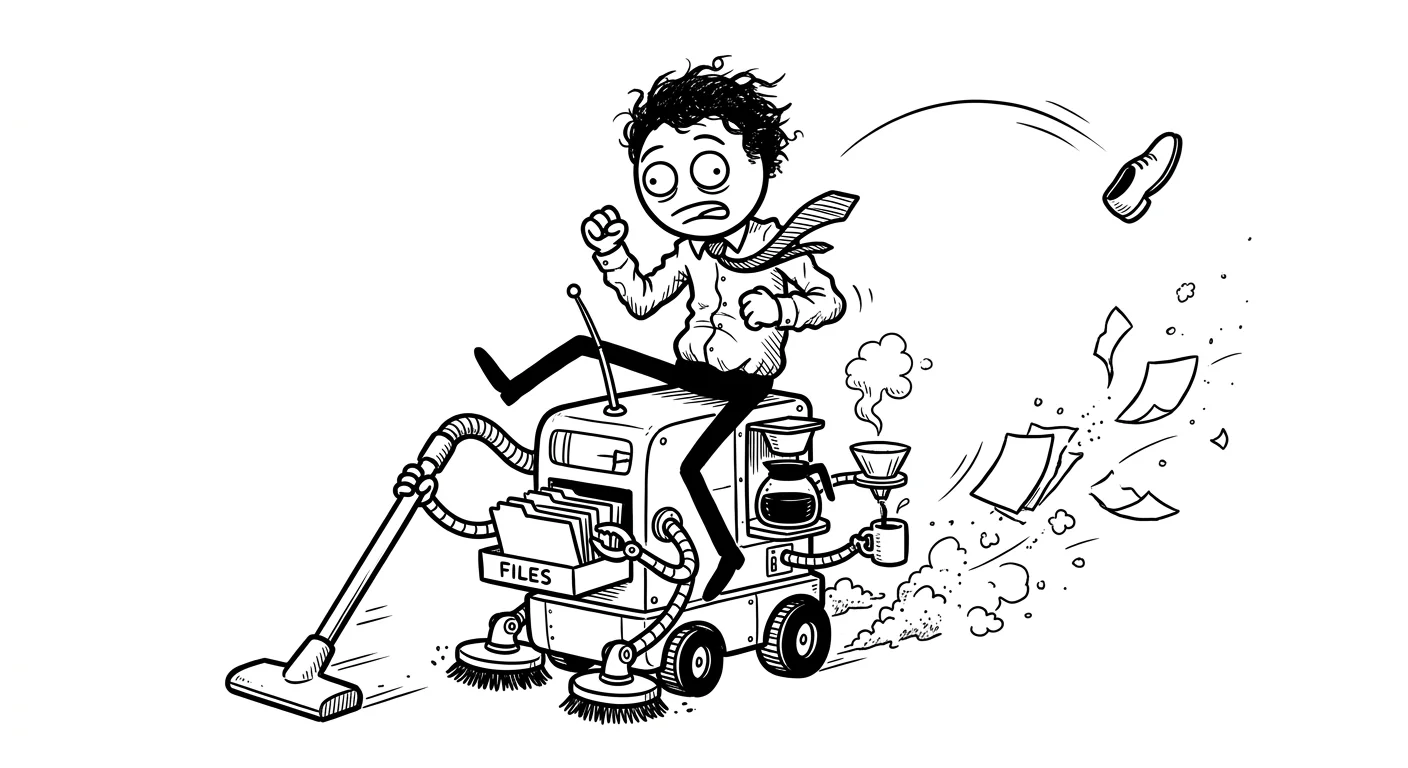
Most small businesses I talk to are either ignoring AI entirely or trying to automate everything at once and burning out. Neither works. The sweet spot for AI automation for small businesses is narrower than the hype suggests, and way more profitable than most people realize.
I’ve built AI automations for founders, operators, and small teams. I’ve also talked to plenty of people who spent thousands on tools they don’t use. This post is about what actually moves the needle in 2026, what’s mostly noise, and how to figure out where to start.
The honest state of AI automation for small businesses
A lot has changed in the last two years. The models are genuinely better. The tooling is more reliable. Costs have dropped. A workflow that would’ve cost $20K to build in 2023 might cost $3K today.
But the fundamentals haven’t changed. AI still struggles with ambiguity. It still needs good inputs to produce good outputs. And it still can’t replace judgment, relationships, or context that only exists inside your head.
What AI does well in 2026 is narrow, repetitive, text-heavy tasks. Categorizing things. Drafting things. Extracting structured data from unstructured inputs. Summarizing. Routing. Responding to questions that have clear answers.
If a task takes you 30 minutes a day, involves reading or writing text, and follows a consistent pattern, it’s probably automatable. If it requires nuance, trust, or real-time judgment, it’s probably not.
That’s the filter I use when I audit a client’s workflow. Everything else is noise.
Where the real ROI is hiding
The highest-value automations I’ve built for small businesses aren’t the ones that look impressive in demos. They’re the boring, repetitive ones that someone on the team hates doing.
Here are the ones that consistently deliver:
Support email triage. If you’re getting more than 20 emails a day and half of them are variations of the same five questions, you can auto-categorize, auto-tag, and draft auto-responses for the routine ones. A well-built version of this saves 2-3 hours per day. That’s 10-15 hours a week. For a small team, that’s enormous.
Proposal and report drafting. You gather the same information every time, you write a version of the same document, and then you customize it. AI can generate a solid first draft from a structured intake form. You spend 20 minutes editing instead of two hours writing. The draft isn’t perfect, but it’s 70% of the way there, and editing is faster than writing from scratch.
Invoice and receipt data extraction. Pulling numbers from PDFs, photos of receipts, or emailed invoices is tedious and error-prone when done manually. AI handles this cleanly now, especially with tools like GPT-4o’s vision capabilities or document-specific models. Pair it with a simple script that drops the structured data into a spreadsheet or accounting tool, and you’ve eliminated a genuinely painful task.
Meeting note summarization. Record the meeting, transcribe it, summarize it into action items. This is well-solved in 2026. Tools like Otter.ai or custom setups using Whisper plus a prompt chain handle it reliably. The trick is formatting the output the way your team actually uses it, not just dumping a wall of bullet points.
Routine customer question responses. If you have a knowledge base and customers ask the same questions repeatedly, a retrieval-augmented system can answer them accurately without hallucinating. This isn’t magic, but when it’s built right, it works.
Most of these cost between $500 and $3,000 to implement properly. The cost isn’t in the AI itself. It’s in setting up the plumbing, handling edge cases, and making sure the output lands where it needs to.
What doesn’t work (and why people try it anyway)
I’ve seen founders burn time and money on these:
Automating complex sales conversations. AI can qualify leads, but it can’t replace a good sales conversation for high-ticket products. If your deal size is $500, sure, automate it. If it’s $50K, the human relationship is the product.
Fully automated social media. The content comes out flat. It sounds like AI. People notice. You can use AI to generate ideas, draft options, or repurpose existing content. But fully automated social for a small business almost always hurts the brand.
Customer service chatbots without a handoff. A chatbot that can’t escalate to a human when it’s confused makes customers furious. If you’re going to build this, build the escalation path first.
Automating a process that isn’t defined yet. This is the biggest one. If your team handles a task differently every time, AI will automate the chaos, not fix it. You have to standardize the process first. AI is a multiplier, not a fixer.
The most common mistake I see: trying to automate everything at once. Pick one task that costs you the most time, automate that, and measure it. Then repeat.
How to find your highest-value automation
Here’s the exact process I walk through with clients before writing a single line of code or setting up a single tool.

- List every task your team does repeatedly. Not just daily. Weekly counts too.
- Estimate the time each task takes per week across the whole team.
- Mark which ones are text-heavy and pattern-driven.
- Sort by time cost.
- Start at the top.
That’s it. The answer is usually obvious once you do this exercise honestly. The task that takes the most hours and follows the most predictable pattern is where you start.
The secondary filter is error cost. If someone does this task manually and makes a mistake, how bad is it? Automating a high-error-cost task requires more testing and validation before you trust it. Automating a low-stakes task is faster to deploy and easier to iterate on.
I usually recommend starting with something in the middle: high time cost, low error severity. Proposal drafting is a good example. If the draft is wrong, a human catches it before it goes out. But you still saved two hours.
What tools are actually worth using in 2026
I’m not going to list 40 tools. Here’s what I actually use:
For orchestration: n8n for most things. It’s self-hostable, the workflow UI is solid, and the community templates save a lot of time. Make (formerly Integromat) is fine for simpler stuff. Zapier is good if you need it to just work without a developer.
For language tasks: OpenAI’s API for most LLM tasks. Anthropic’s Claude for anything that benefits from longer context or more careful reasoning. The gap between models has narrowed, but for business writing tasks, Claude still edges out GPT on tone.
For document parsing: GPT-4o vision for mixed media. Textract for structured PDFs. Depending on volume, sometimes a simple regex script is faster and more reliable than an LLM.
For voice/transcription: Whisper (OpenAI’s model) is the baseline. AssemblyAI has good speaker diarization if you need to know who said what in a multi-person meeting.
The important thing: I don’t pick a tool because it’s popular. I pick the simplest thing that solves the problem. If a Python script handles it, I’m not going to sell you a language model workflow.
A note on cost at scale
This is worth spending a minute on because people get surprised by it. OpenAI and Anthropic both charge per token. For low-volume tasks, that’s basically free. Summarizing 10 meeting transcripts a week costs maybe $2. But if you’re processing thousands of documents a month, the math changes.
Before building anything at scale, run the numbers on per-task cost. If you’re extracting data from 5,000 invoices a month, a fine-tuned smaller model or a rule-based parser might be significantly cheaper than GPT-4o, and nearly as accurate for structured documents. I always model this out with clients before committing to a model choice.
The build vs.buy decision
A lot of small businesses buy SaaS tools that have AI features baked in. That’s often the right call. If you’re already using HubSpot, using its AI features before building a custom integration is usually smarter.
Custom builds make sense when:
- The task is specific to your business and no off-the-shelf tool handles it well
- You’re doing enough volume that per-task costs on a SaaS add up
- You need the output to integrate with tools that don’t have native connectors
- You want to own the logic and not be locked into a platform’s limitations
Off-the-shelf wins when:
- The feature already exists in a tool you have
- Volume is low
- You need it working this week, not in two weeks
The honest answer is usually “start with what you have, then custom-build the gaps.” That’s what I do in my AI integration service. I look at what you’re already using before recommending anything new.
Here’s a rough comparison of the two paths:
| Off-the-shelf AI features | Custom build | |
|---|---|---|
| Setup time | Hours to days | 1-4 weeks |
| Upfront cost | $0-$200/month | $1,500-$5,000 |
| Flexibility | Low | High |
| Maintenance | Vendor handles it | You or your dev |
| Best for | Common tasks, low volume | Specific workflows, high volume |
Neither is always better. It depends on your task, your volume, and how much you care about owning the logic.
What a real implementation looks like
Let me walk through a real example. A consulting firm was spending about 12 hours a week writing project proposals. Each proposal pulled from a client intake form, a scope template, and some boilerplate about their methodology.
Here’s what we built:
# Simplified version of the proposal generation flow
import openai
import json

def generate_proposal(intake_data: dict, template: str) -> str:
 prompt = f"""
 You are writing a consulting proposal based on the following client intake:
 {json. dumps(intake_data, indent=2)}

 Use this structure:
 {template}

 Write in a professional but direct tone. Be specific about deliverables.
 Do not pad the content. If you don't have enough information to fill a section,
 leave a [NEEDS INPUT] placeholder.
 """

 response = openai. chat.completions. create(
 model="gpt-4o",
 messages=[{"role": "user", "content": prompt}],
 temperature=0.3
 )

 return response. choices[0]. message.content
The full system included an intake form (Typeform), a webhook that triggered on form submission, the generation step above, and automatic delivery to Google Docs for editing. Built in about a week. Saved the team roughly eight hours a week. At their billing rate, that’s thousands of dollars of capacity freed up every month.
That’s the kind of automation that pays for itself in the first week.
Why temperature=0.3 matters
A small thing worth explaining if you’re building something similar. Temperature controls how random the model’s output is. At 0.0, it’s almost deterministic, always choosing the most likely next token. At 1.0, it’s creative and varied. For business documents, I almost always use 0.2-0.4. You want consistency and structure, not creativity. A proposal that’s slightly different every time in unexpected ways is hard to edit and trust. Keep it low for anything document-shaped.
Want to build something like this for your business? I offer a flat-fee AI automation service that starts at $3,000. I audit your workflow, build the highest-value automation first, and hand it off documented. Tell me what you’re spending too much time on.
How to know when you’re ready to scale up
Most teams start with one automation, see it work, and then want to do five more at once. I’d push back on that instinct a little.

Before you expand, ask:
- Is the first automation actually running reliably, or does someone still babysit it?
- Do you have a process for catching and logging failures?
- Is there a human review step for anything customer-facing?
If you can answer yes to all three, you’re ready to add another workflow. If not, shore up the first one first. A half-working automation that someone has to manually check every day isn’t saving you time, it’s just moving the work around.
The teams that get the most out of AI automation treat it like any other operational system. They document it, they monitor it, they have a fallback. That mindset is what separates the businesses that actually reclaim hours from the ones that have a stack of half-built Zapier workflows nobody trusts.
AI automation for small businesses: what to do first
If you take nothing else from this post, take this:
Pick one task. The one that takes the most hours and has the most consistent inputs and outputs. Automate that. Measure it. Then pick the next one.
Don’t buy a platform. Don’t hire an agency to “transform your operations.” Don’t implement five tools at once.
One task, done well, will teach you more about where AI actually helps your business than any amount of research. And the time savings will fund the next one.
If you want help figuring out where to start, that’s exactly what my workflow audit covers. I look at your actual processes, not a theoretical org chart, and tell you what’s worth automating and what isn’t. If the answer is a $200 Zapier subscription, I’ll tell you that.
You can also browse more on this on the blog where I cover related topics like building MVPs fast and what good product design actually looks like in practice. And if you’re building a product that needs AI baked in from the start, my MVP service covers that too.
Frequently asked questions
What is the best AI automation for small businesses?
The best automation is the one that saves the most hours on a task you’re already doing. For most small businesses, that’s email triage, document drafting, or data extraction from invoices and receipts. These consistently save 2-10 hours per week and cost $500-$3,000 to implement properly.
How much does AI automation cost for a small business?
A single well-built automation typically costs between $500 and $3,000 depending on complexity. Off-the-shelf tools with AI features (like HubSpot, Notion AI, or Zapier) can cost $50-$200/month for simpler tasks. Custom builds from a developer like my AI integration service start at $3,000 and cover audit, build, and documentation.
How long does it take to implement AI automation for a small business?
For a focused, single-workflow automation, expect one to two weeks from kickoff to handoff. More complex multi-system integrations can take three to four weeks. The audit phase, where you identify what to actually build, usually takes one to two days.
Can small businesses use AI without a developer?
Yes, for many common tasks. Tools like Zapier, Make, and Notion AI require minimal technical knowledge. But if you need custom logic, integrations with internal tools, or anything that handles sensitive data carefully, a developer will build something more reliable and better suited to your specific process.
What AI automations have the highest ROI for small businesses?
Based on what I’ve built and seen, the highest-ROI automations are support email triage (2-3 hours saved per day), proposal and report drafting (saves 60-80% of writing time), and invoice data extraction. These win because they’re high-frequency, text-based, and follow predictable patterns. See more detail in my AI services page.
What are the biggest mistakes small businesses make with AI automation?
Trying to automate too many things at once is the most common. The second is automating a process that isn’t standardized yet, which just makes the mess faster. Start with one task, measure the time savings, then move to the next. And always build a human review step for anything customer-facing.
Ready to stop doing things manually?
If you’ve got a task eating 5+ hours a week and it looks anything like what I described above, there’s a good chance it’s automatable. I offer a flat-fee AI automation service that covers the full process: audit, build, documentation, and handoff. No retainer required to start.
Tell me about your workflow and I’ll tell you whether it’s worth automating and what it would take.